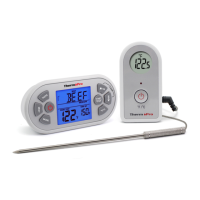
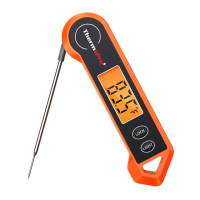
PRESET
TYPE
HEADING
FISH
BEEF RARE
HAM
BEEF
MEDIUM
VEAL
PORK
BEEF WELL
POULTRY
FOOD
TYPE
Fish
Beef (roasts, steaks &
chops) - Rare
Egg dishes
Ham (Raw) – Note: Precooked
Ham (140˚F)
Beef (roasts, steaks & chops)
– Medium
Pork (roasts, steaks, chops,
sausages) –Medium (Pink)
Ground Meats (beef, veal, pork)
Veal (steaks, roasts, tenderized or
non-tenderized cuts) – Well Done
Pork (roasts, steaks, chops,
sausages) –Well Done
Beef (roasts, steaks &
chops) – Well
Poultry (chicken, turkey) – Whole
Duck & Goose
RECOMMENDED
INTERNAL
TEMPERATURE
145˚F/63˚C
160˚F/71˚C
160˚F/71˚C
170˚F/77˚C
170˚F/77˚C
165˚F/74˚C
Preset Temperature Cooking Chart:
ENEN
-13-
-12-
Countdown Timer
Your countdown timer can be used whether the
thermometer is in operation or not.
Manual Temperature Setting
Refer to the ‘Preset Temperature Cooking Chart’ for
recommended internal temperatures.
For manual setting, press “ ” or “ ” to set
your desired cooking temperature.
Slide the mode selector switch on the back of the
base unit to the timer position .
Press HR to set the hours and MIN to set the minutes.
Press S/S (start/stop) to start the countdown timer.
The colon between hours and minutes will flash.
When the timer gets to 0:00, the alarm will sound.
Press S/S to silence the alarm. This unit has a
timing memory and will automatically display he
original timer setting when S/S is pressed to
silence the alarm.
To clear the time, press the HR and MIN buttons at
the same time. You can pause the timer while it is
running by pressing S/S.Press S/S again to restart
the timer.


 To Next Page