Usage
Step 1: Download and install the “ThermoPro
Sensor“App.
Step 3: Insert
one
AAA batteries into the battery
compartment on the back of the thermometer
with correct polarity (+) and (-) as indicated.
Scan the QR code above, or search for
“ThermoPro Sensor” on the Apple Store for IOS
devices or on the Google Play Store for Android
devices. Download the app and install it on
your smartphone.
* iPhone and iPad apps need IOS 9.0 and above.
* Android app need versions 4.4 and above.
* Android users need to allow all the app
requests.
Step 2: Enable Bluetooth on your smartphone
under the smartphone Settings section. If your
smartphone has Bluetooth enabled, you can
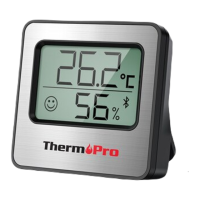
Follow the simple steps below to set up your
ThermoPro Bluetooth Thermometer/
Hygrometer and remotely monitor the
temperature and humidity of your living room,
bedroom, greenhouse and etc. from your
smartphone!
skip this step.
-6- -7-
Step 4: The temperature and humidity will be
displayed on the screen and the Bluetooth icon
will be flashing on the display. The
EN EN


 To Next Page