24
Operation
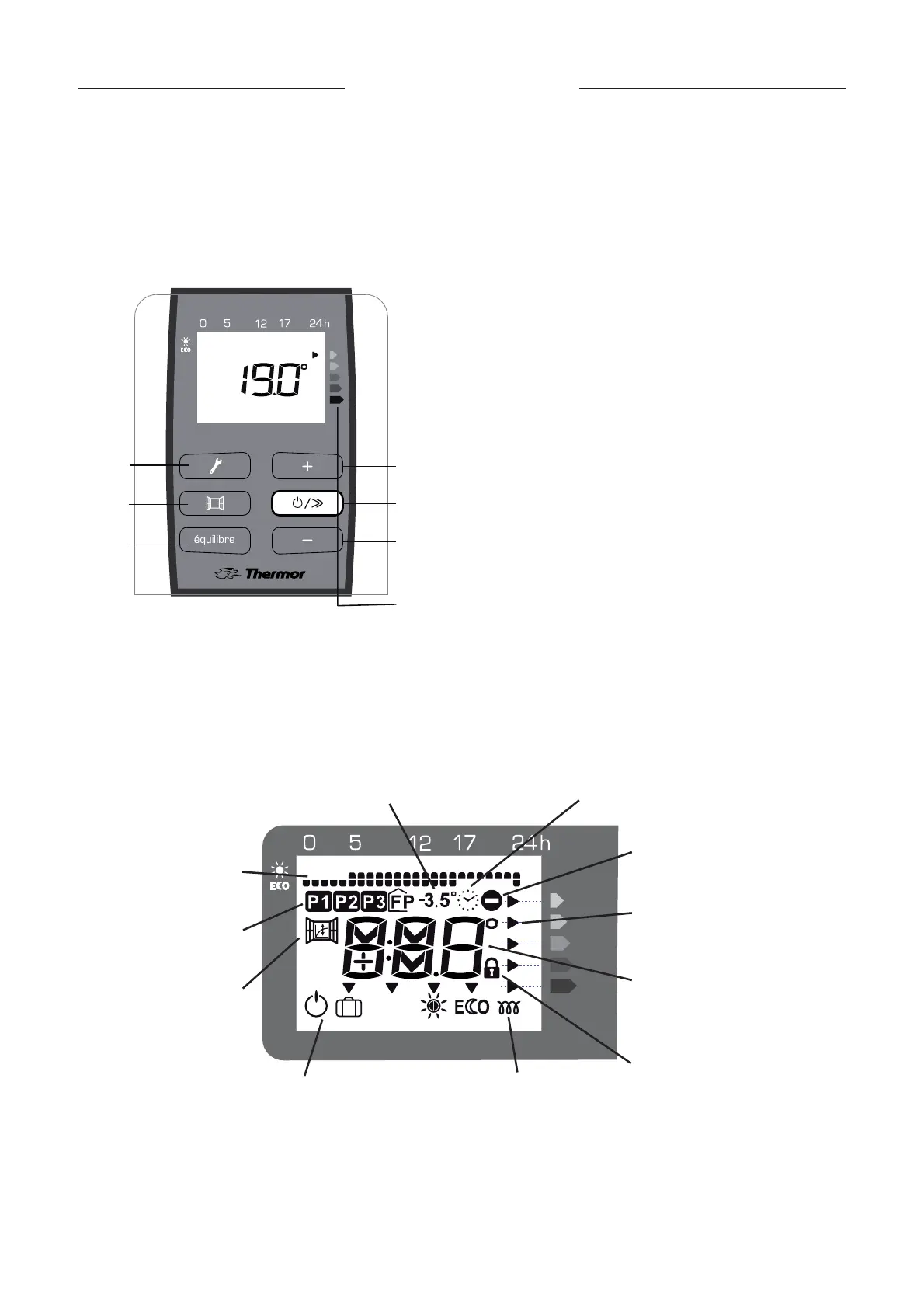
For your comfort and to save energy, your device is equipped with a digital-display control unit. You can set all of the de-
vice’s functions from the unit.
A
B
C
D
E
F
G
A
Balance function
B
Airing function
C
Programming / Set the correct time and day
D
Increase the temperature / Scroll
E
Turn on / Change heating modes – scroll / Standby
F
Lower the temperature / Scroll
G
Consumption indicator function
The different displays
Control box
Remove the plastic film on the control unit
After 2 minutes of inactivity, the screen returns to the main display.
PROG
Program displayed
Program selection
Airing function
Advised Eco temperature
Day and time
Action not possible
Consumption indicators
Temperature display or day
and time if being set
Controls locked
Heating indicator
Modes


 To Next Page