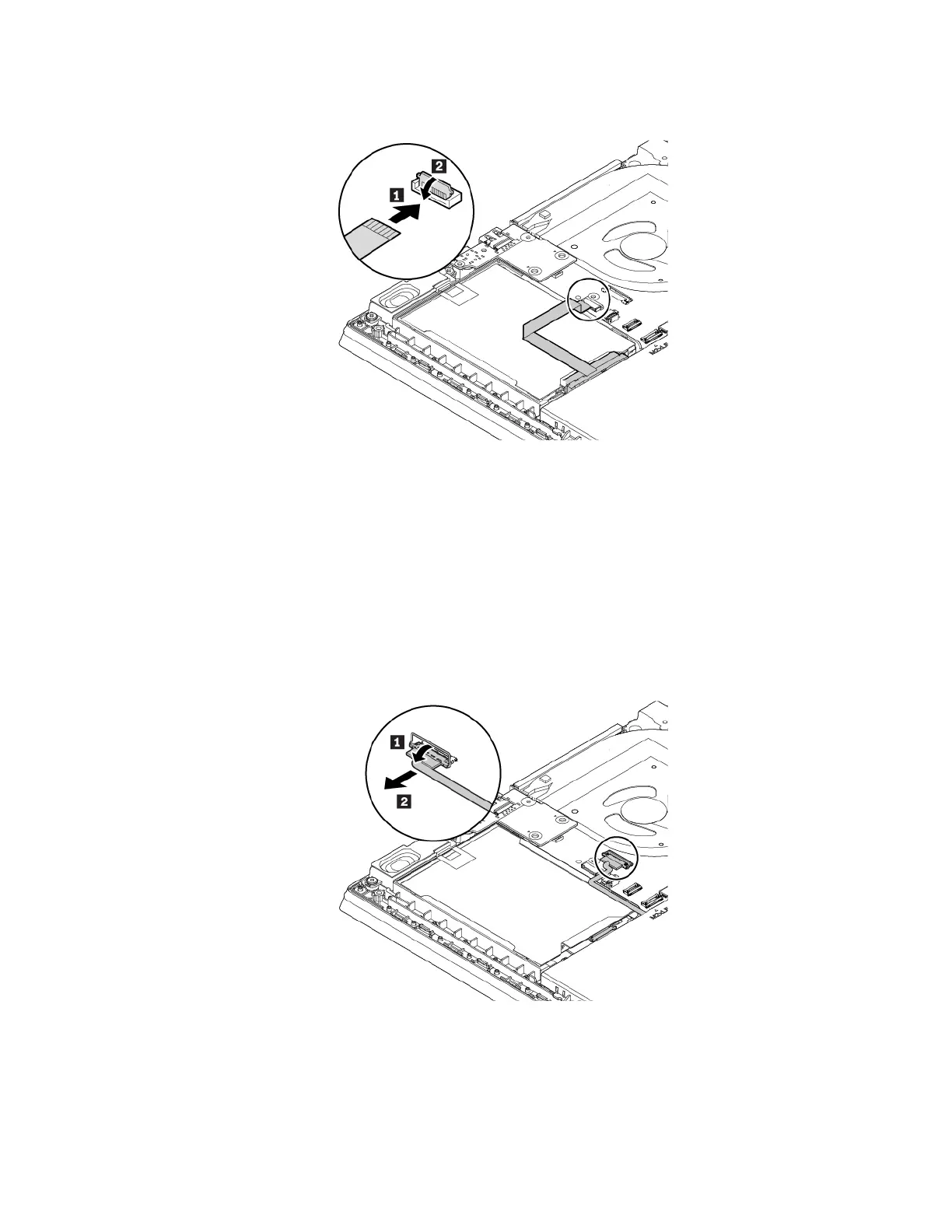
4. Connect the cable to the system board.
5. Reinstall the base cover assembly.
6. Turn the computer over. Connect the ac power adapter and all cables.
M.2 solid-state drive
To remove the M.2 solid-state drive, do the following:
1. Disable the built-in battery. See “Disabling the built-in battery” on page 100.
2. Ensure that the computer is turned off and disconnected from ac power and all cables.
3. Close the computer display and turn the computer over.
4. Remove the base cover assembly. See “Replacing the base cover assembly” on page 102.
5. Disconnect the cable from the system board.
Chapter 9. Replacing devices 111



 To Next Page