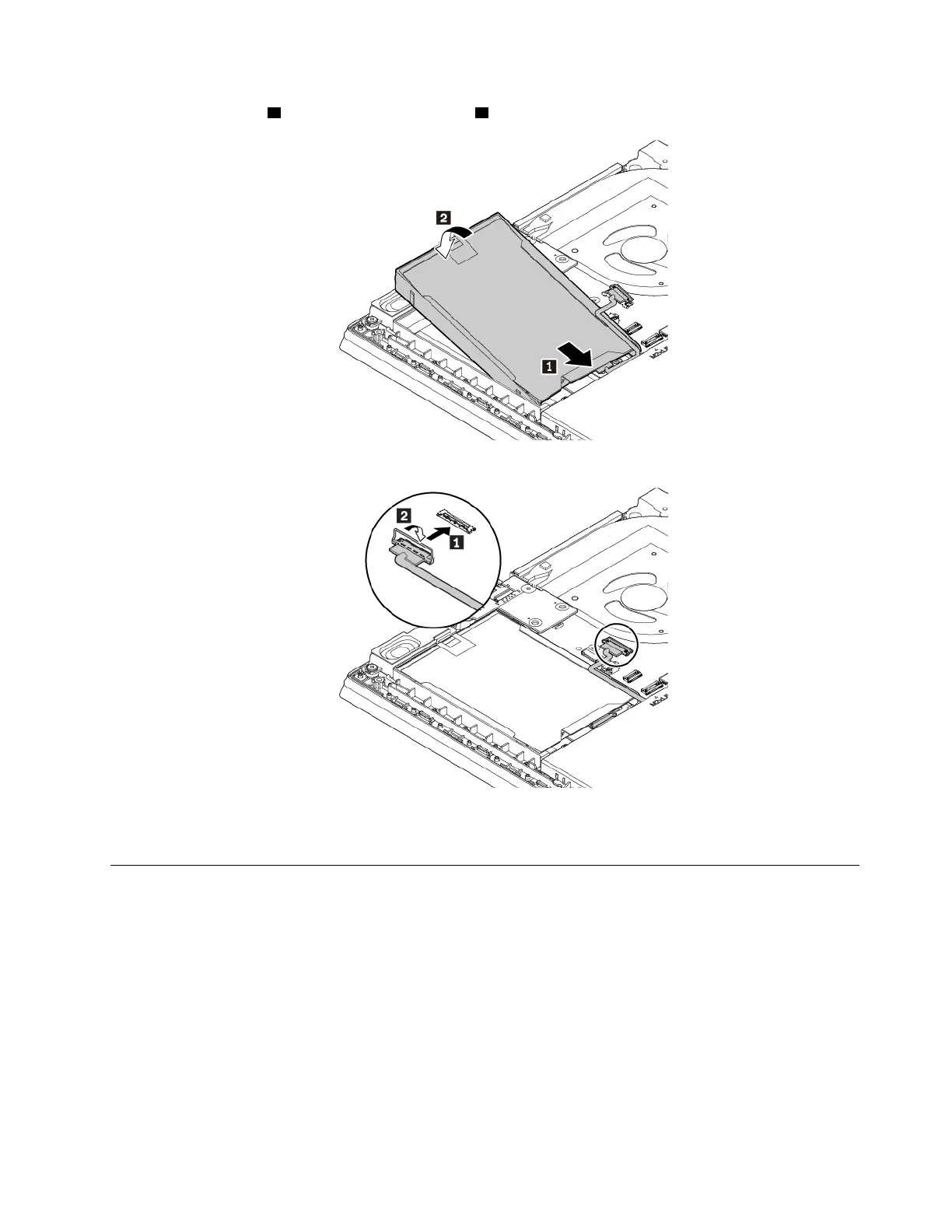
5. Insert the adaptor 1 and then pivot it downward 2 . Ensure that the adaptor is seated in place.
6. Connect the cable to the system board.
7. Reinstall the base cover assembly.
8. Turn the computer over. Connect the ac power adapter and all cables.
Replacing the M.2 solid-state drive in the wireless-WAN-card slot
Before you start, read “Important safety information” on page v and print the following instructions.
Attention: The M.2 solid-state drive is sensitive. Inappropriate handling might cause damage and
permanent loss of data.
When handling the M.2 solid-state drive, observe the following guidelines:
• Replace the M.2 solid-state drive only for upgrade or repair. The M.2 solid-state drive is not designed for
frequent changes or replacement.
• Before replacing the M.2 solid-state drive, make a backup copy of all the data that you want to keep.
• Do not apply pressure to the M.2 solid-state drive.
Chapter 9. Replacing devices 115



 To Next Page