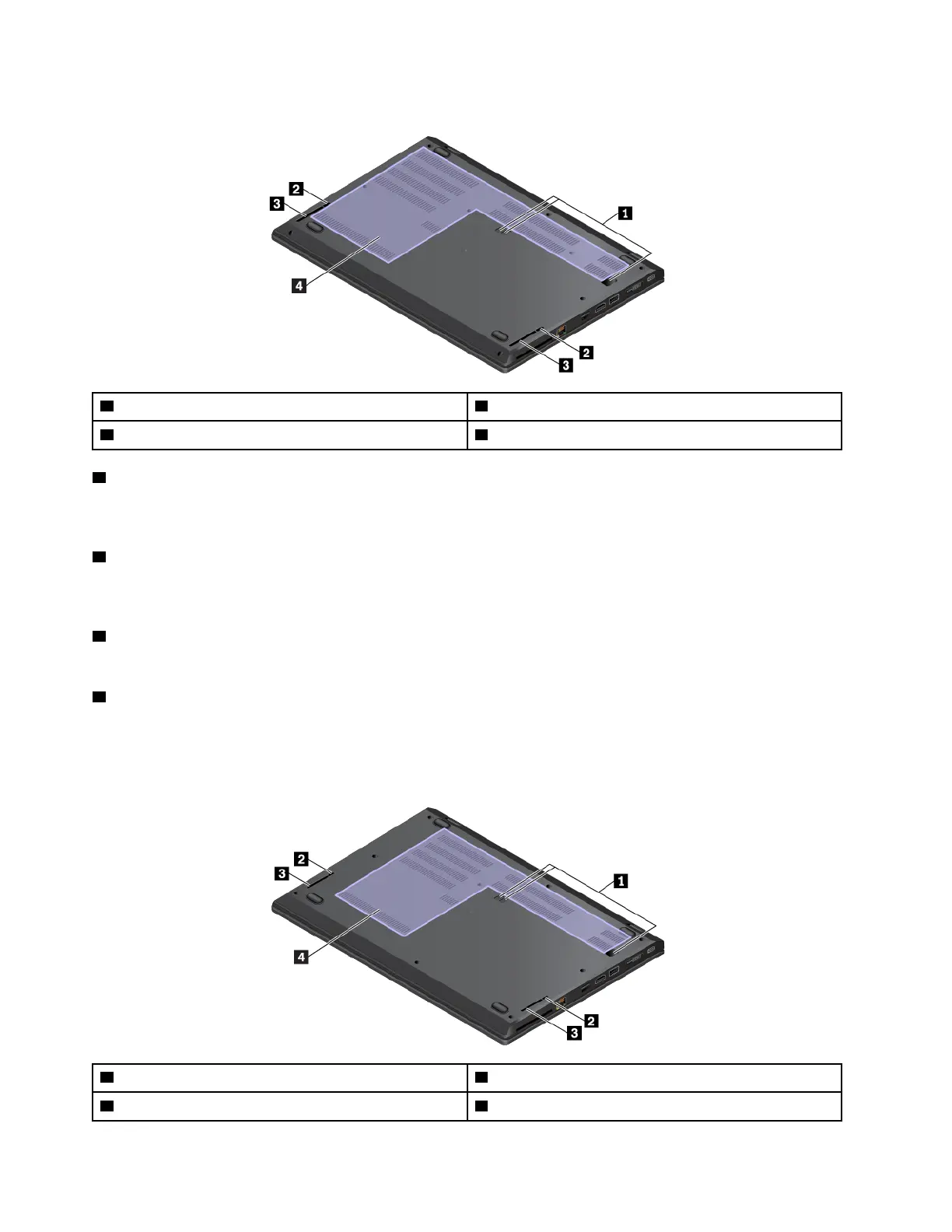
Bottom view (for ThinkPad L480 computers)
1 Docking-station hook holes 2 Keyboard drainage holes
3 Speakers
4 Fan louvers
1 Docking-station hook holes
You can use the docking-station positioning holes to secure a supported docking station to extend the
computer capabilities.
2 Keyboard drainage holes
If you accidentally spill water or drink over the keyboard, the keyboard drainage holes can help drain out
liquid from your computer.
3 Speakers
Your computer is equipped with a pair of stereo speakers.
4 Fan louvers
The fan louvers and internal fan enable air to circulate in the computer to ensure proper cooling, especially
the cooling of the microprocessor.
Bottom view (for ThinkPad L580 computers)
1 Docking-station positioning holes 2 Keyboard drainage holes
3 Speakers
4 Fan louvers
8 L480 and L580 User Guide



 To Next Page