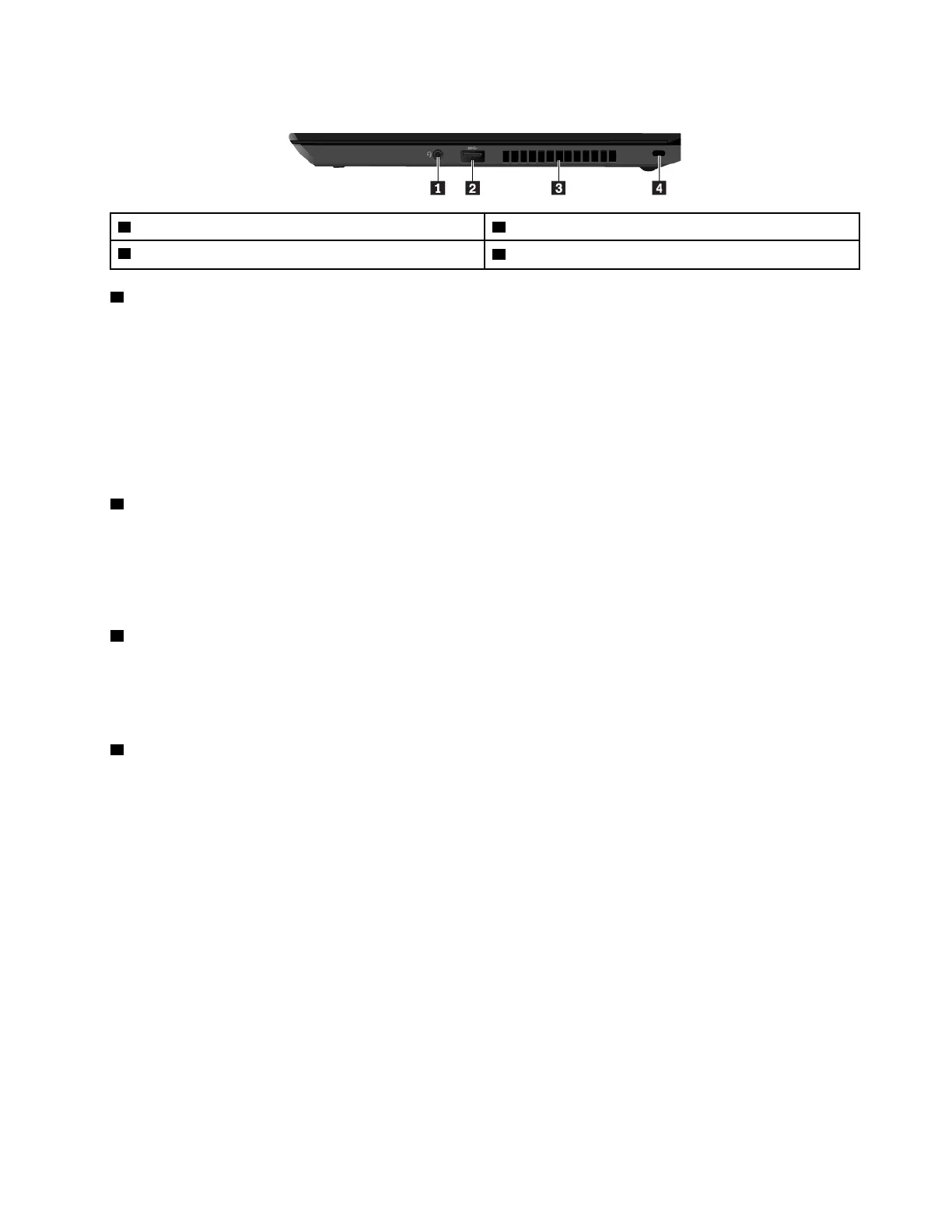
Right-side view
1 Audio connector
2 USB 3.1 connector Gen 1
3 Fan louvers
4 Security-lock slot
1 Audio connector
You can connect headphones or a headset with a 3.5-mm (0.14-inch), 4-pole plug to the audio connector to
listen to the sound from the computer.
If you are using a headset with a function switch, do not press this switch while using the headset. If you
press the switch, the headset microphone is disabled, and the integrated microphones on the computer are
enabled instead.
Note: The audio connector does not support a conventional microphone. For more information, see “Using
audio features” on page 36.
2 USB 3.1 connector Gen 1
You can use the USB 3.1 connector Gen 1 to connect USB-compatible devices, such as a USB keyboard,
USB mouse, USB storage device, or USB printer.
Attention: When you attach a USB cable to this connector, ensure that the USB mark is facing upward.
Otherwise the connector might get damaged.
3 Fan louvers
The fan louvers and internal fan enable air to circulate in the computer to ensure proper cooling, especially
the cooling of the microprocessor.
Note: To ensure proper airflow, do not place any obstacles in front of the fan louvers.
4 Security-lock slot
To protect your computer from theft, lock your computer to a desk, table, or other fixture through a security
cable lock that fits this security-lock slot.
Note: You are responsible for evaluating, selecting, and implementing the locking device and security
feature. Lenovo makes no comments, judgments, or warranties about the function, quality, or performance
of the locking device and security feature.
Chapter 1. Product overview 7



 To Next Page