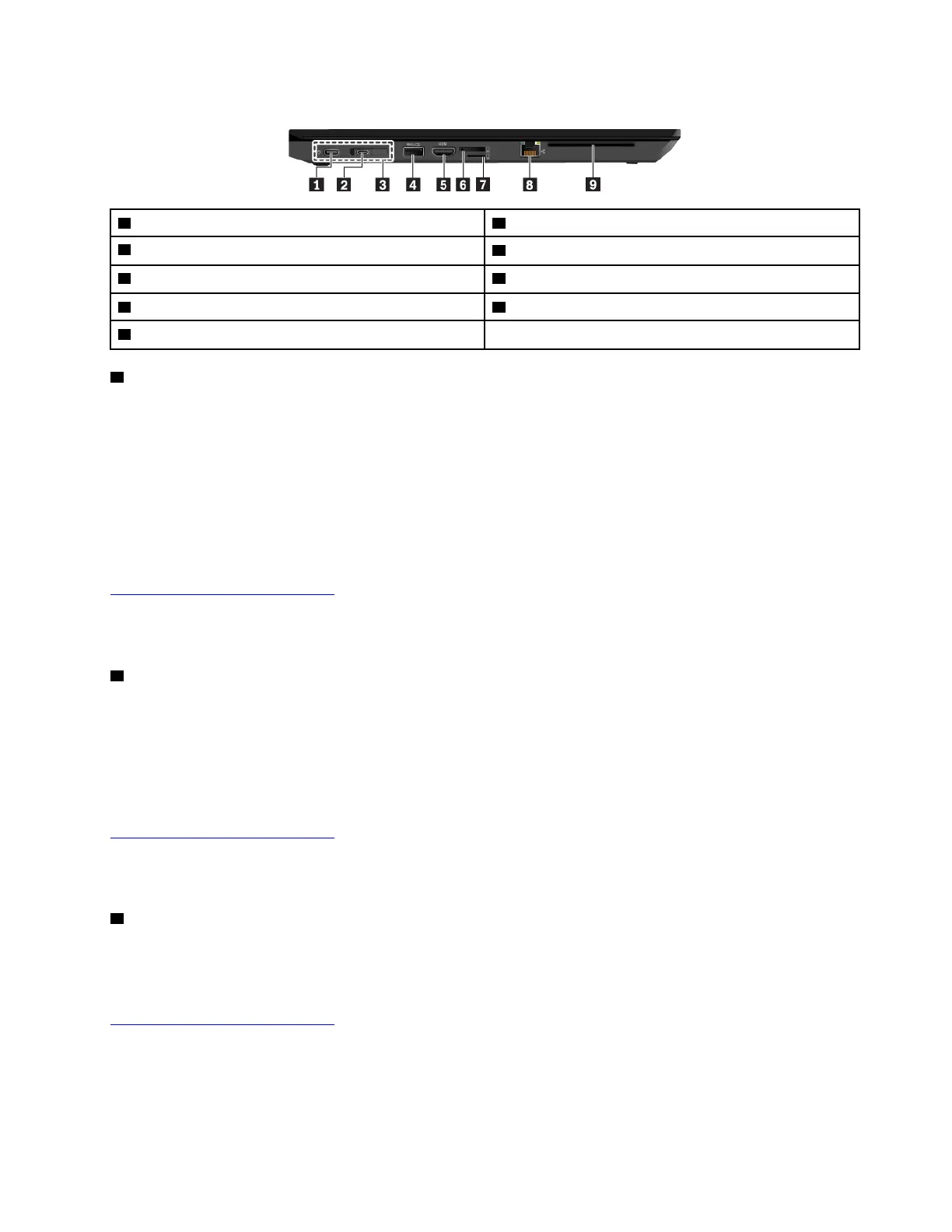
Left-side view
1 USB-C™ connector 2 USB-C connector
3 Docking-station connector
4 Always On USB 3.1 connector Gen 1
5 HDMI™ connector
6 Nano-SIM-card tray
7 MicroSD card slot
8 Ethernet connector
9 Smart-card slot (available on some models)
1 USB-C connector
The USB-C connector / power connector on your computer supports the USB Type-C
™ standard. With an
appropriate USB-C cable connected, you can use the connector to transfer data, charge your device, or
connect your computer to external displays.
This USB-C connector also works as the power connector. Use the shipped USB-C power adapter and
power cord to connect the computer to ac power through the USB-C connector.
Lenovo provides various USB-C accessories to help you expand your computer functionality. For more
information, go to:
http://www.lenovo.com/essentials
Note: When the battery power is below 10%, the USB-C accessories connected to the USB-C connector
might not work correctly.
2 USB-C connector
The USB-C connector on your computer supports the USB Type-C standard. With an appropriate USB-C
cable connected, you can use the connector to transfer data, charge your device, or connect your computer
to external displays.
Lenovo provides various USB-C accessories to help you expand your computer functionality. For more
information, go to:
http://www.lenovo.com/essentials
Note: When the battery power is below 10%, the USB-C accessories connected to the USB-C connector
might not work correctly.
3 Docking-station connector
You can connect the computer to a supported docking station to extend the computer capabilities. For more
information, see “Attaching your computer to a docking station” on page 45. Your computer supports the
following docking stations that can be purchased as options from:
http://www.lenovo.com/essentials
• ThinkPad Basic Docking Station
• ThinkPad Pro Docking Station
• ThinkPad Ultra Docking Station
Chapter 1. Product overview 5



 To Next Page