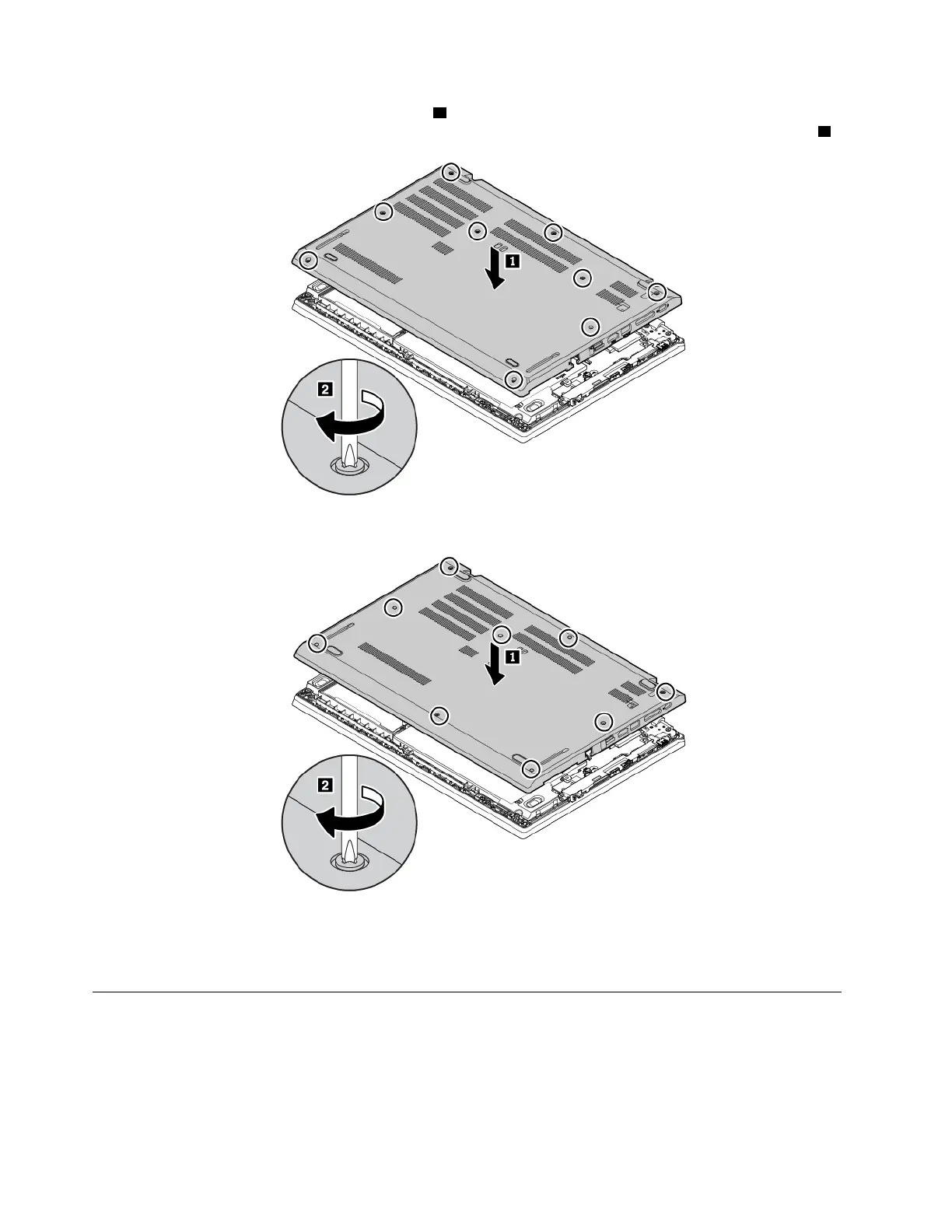
5. Install the new base cover assembly in place 1 . Ensure that the latches of the base cover assembly are
secured under the base cover assembly. Then tighten the screws to secure the base cover assembly
2 .
Figure 6. Installing the base cover assembly for ThinkPad L480 computers
Figure 7. Installing the base cover assembly for ThinkPad L580 computers
6. Turn the computer over. Connect the ac power adapter and all cables to the computer.
Replacing the wireless-WAN card
The following information is only for models that support user-installable modules. Ensure that you use only a
Lenovo-authorized wireless module specifically tested for this computer model. Otherwise, the computer will
generate an error-code beep sequence when you turn on the computer.
Before you start, read “Important safety information” on page v and print the following instructions.
104
L480 and L580 User Guide



 To Next Page