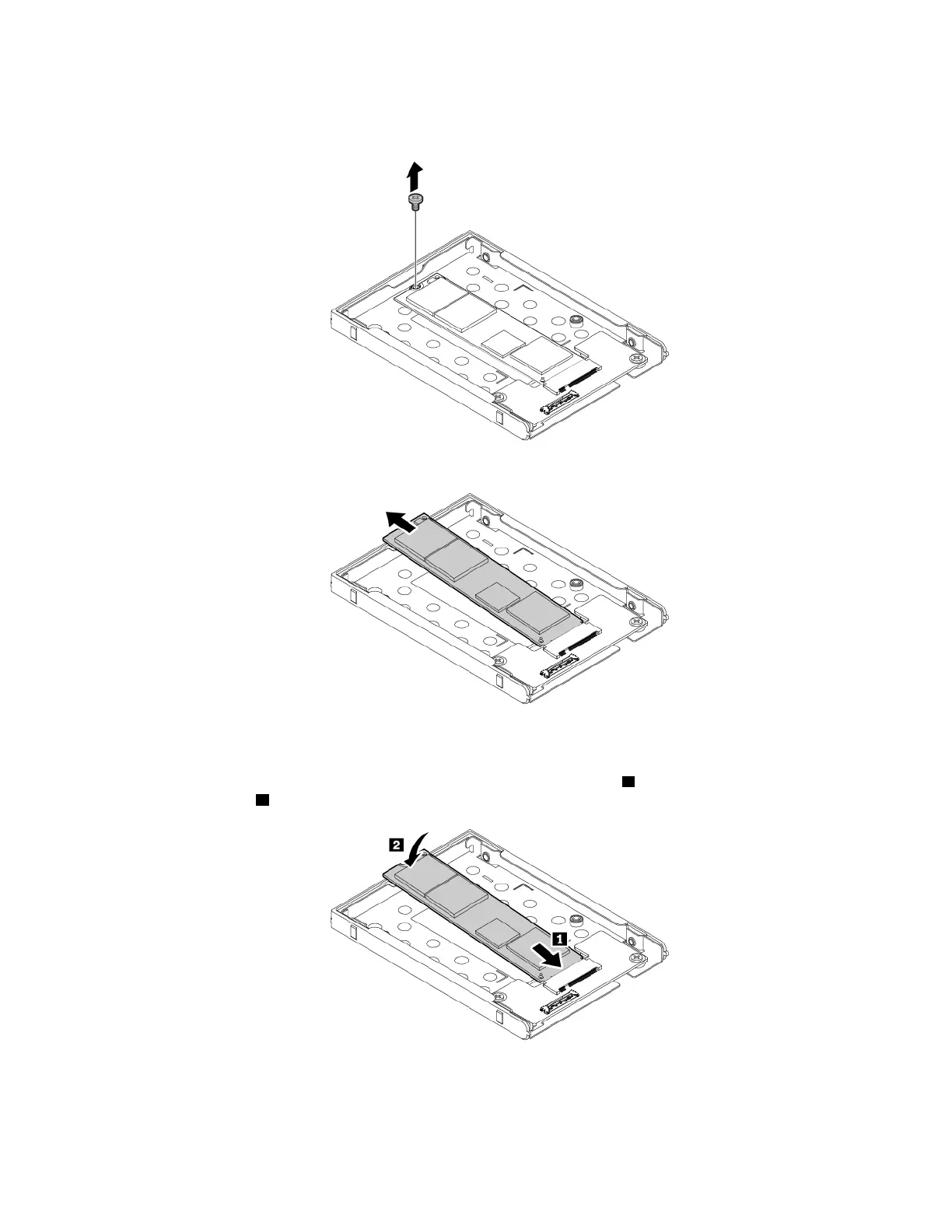
9. Remove the screw that secures the M.2 solid-state-drive. The M.2 solid-state drive is released from the
secured position and pivots upward.
10. Carefully remove the M.2 solid-state drive out of the M.2 slot..
To install the M.2 solid-state drive, do the following:
1. Align the contact edge of the new M.2 solid-state drive with the key in the slot. Then carefully insert the
M.2 solid-state drive into the M.2 slot at an angle of about 20 degrees
1 . Pivot the new M.2 solid-state
drive downward
2 .
Chapter 9. Replacing devices 113



 To Next Page