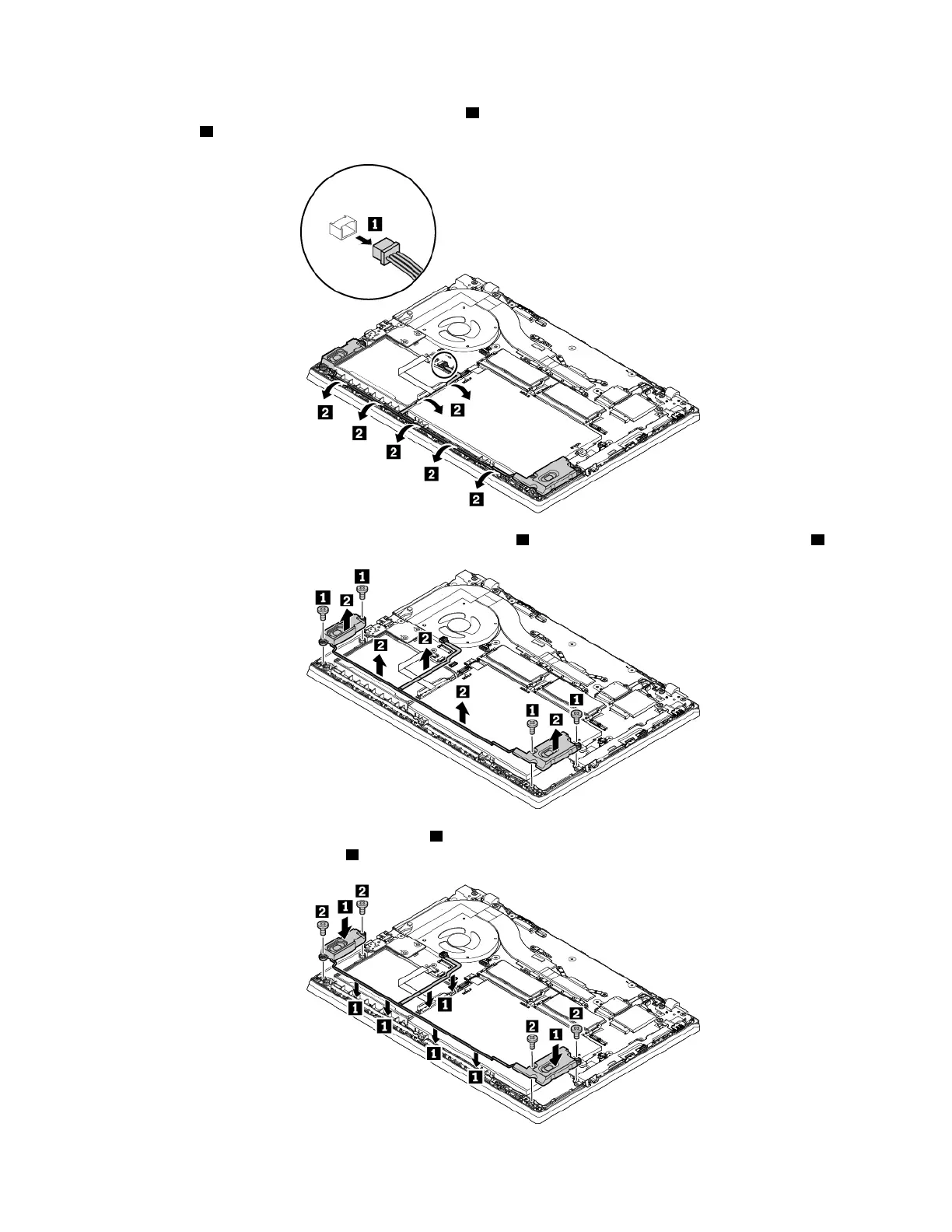
5. Detach the connector of the speaker assembly 1 and then release the speaker cables from the secured
position
2 .
6. Remove the screws that secure the speaker assembly 1 , and then remove the speaker assembly 2 .
7. Install the new speaker assembly in place 1 and route the speaker cables. Then install the screws to
secure the speaker assembly
2 .
Chapter 9. Replacing devices 119



 To Next Page