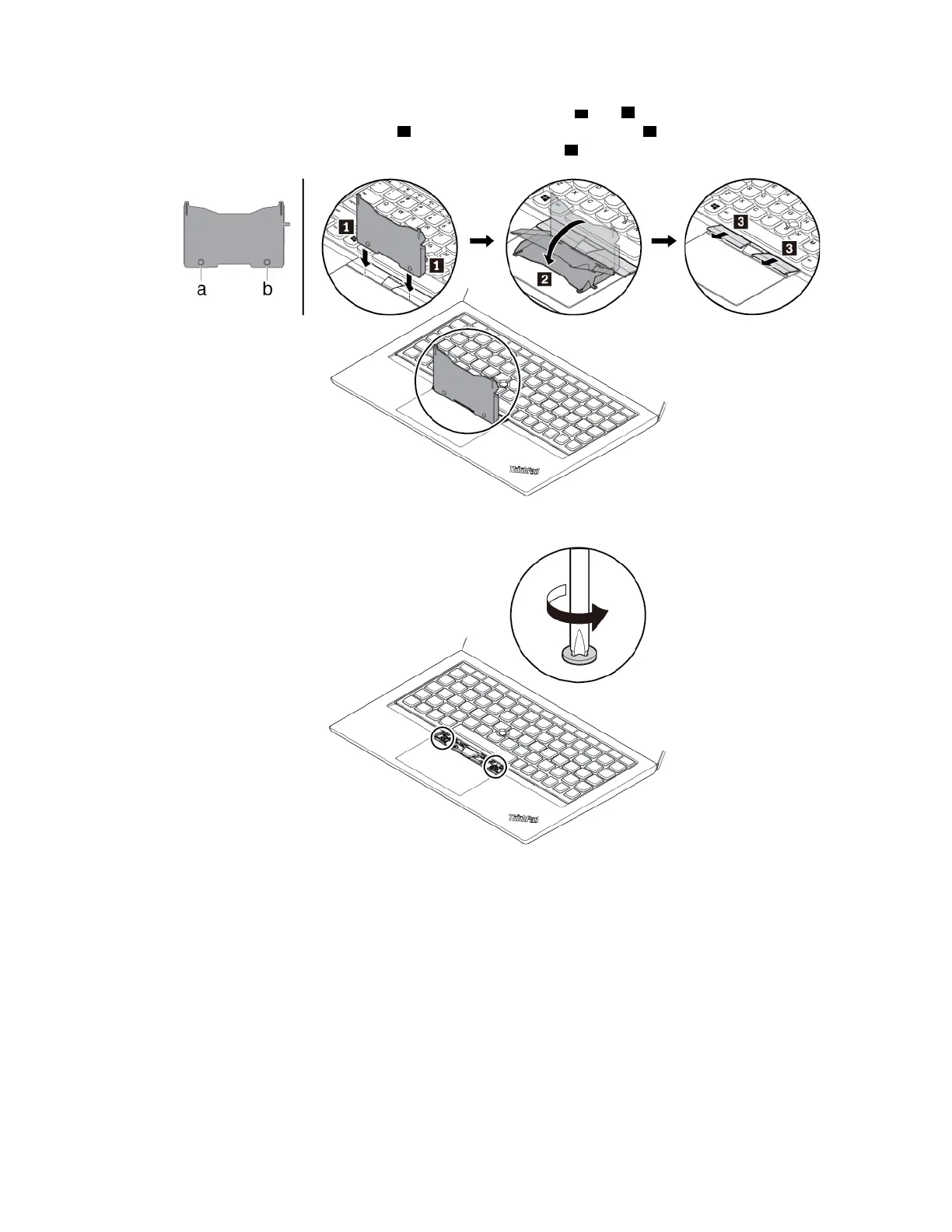
4. Take the tool out of the new keyboard package. Insert the tabs a and b into the slot between the
TrackPoint buttons and the trackpad
1 . Slightly pivot the tool downward 2 to release the left and right
TrackPoint buttons. Then remove the two TrackPoint buttons
3 .
5. Loosen the screws that secure the keyboard.
Chapter 9. Replacing devices 123



 To Next Page