DANGER
If the rechargeable battery is incorrectly replaced, there is danger of an explosion. The battery
contains a small amount of harmful substances. To avoid possible injury:
• Replace only with a battery of the type recommended by Lenovo.
• Keep the battery away from fire.
• Do not expose it to excessive heat.
• Do not expose it to water or rain.
• Do not short-circuit it.
• Do not drop, crush, or puncture the battery, or make it subject to strong forces. Battery abuse or
mishandling can cause the battery to overheat, which can cause gasses or flame to “vent” from
the battery or coin-cell battery.
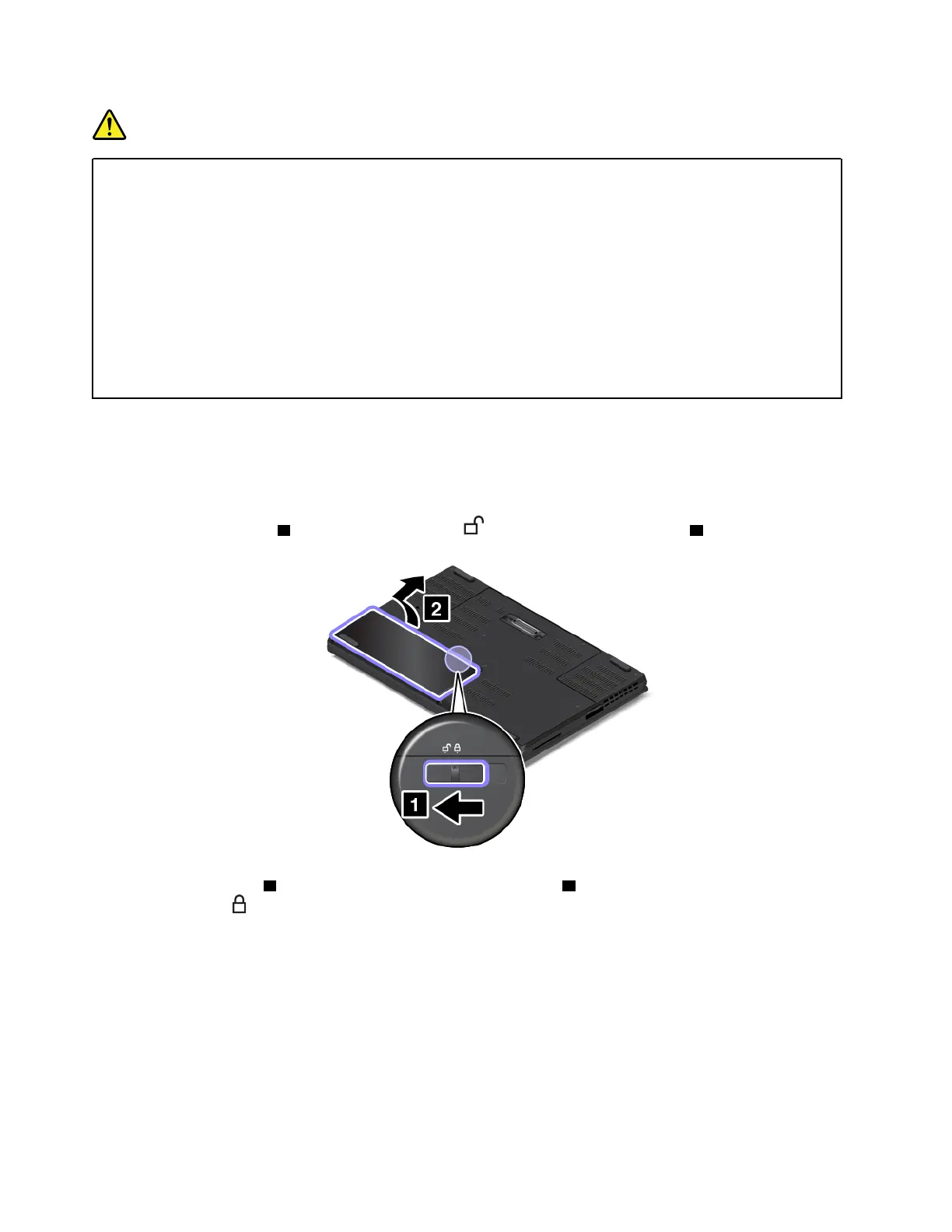
To replace the removable battery, do the following:
1. Turn off the computer; then disconnect the ac power adapter and all cables from the computer. Wait
three to five minutes to let the computer cool.
2. Close the computer display and turn the computer over.
3. Slide the battery latch
1 to the unlocked position , and then remove the battery 2 .
4. Insert a new battery 1 , and then press it until it clicks into place 2 . Ensure that the battery latch is in the
locked position
.
114
P50 User Guide



 To Next Page