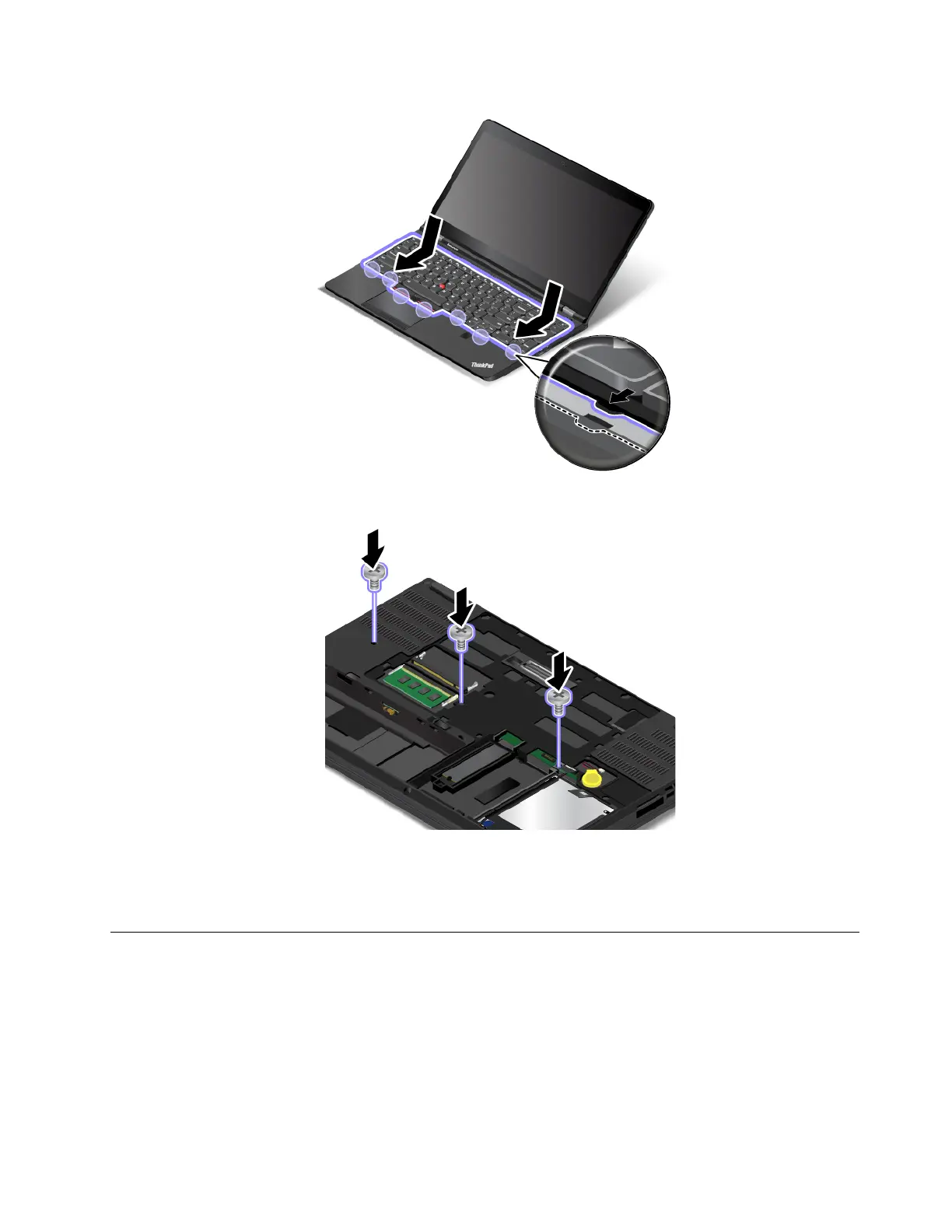
4. Turn the computer over. Reinstall the screws to secure the keyboard in place.
5. Reinstall the bottom cover. See “Replacing the bottom cover” on page 116.
6. Reinstall the removable battery. See “Replacing the removable battery ” on page 113.
7. Turn the computer over again. Connect the ac power adapter and all cables to the computer.
Replacing an M.2 wireless-WAN card
Before you start, print these instructions. Read the important safety information first. See “Important safety
information” on page v.
Notes:
• The following information is only for user-installable modules.
• Depending on the model, your computer might look differentl from the illustrations in this topic.
Chapter 9. Replacing devices 129



 To Next Page