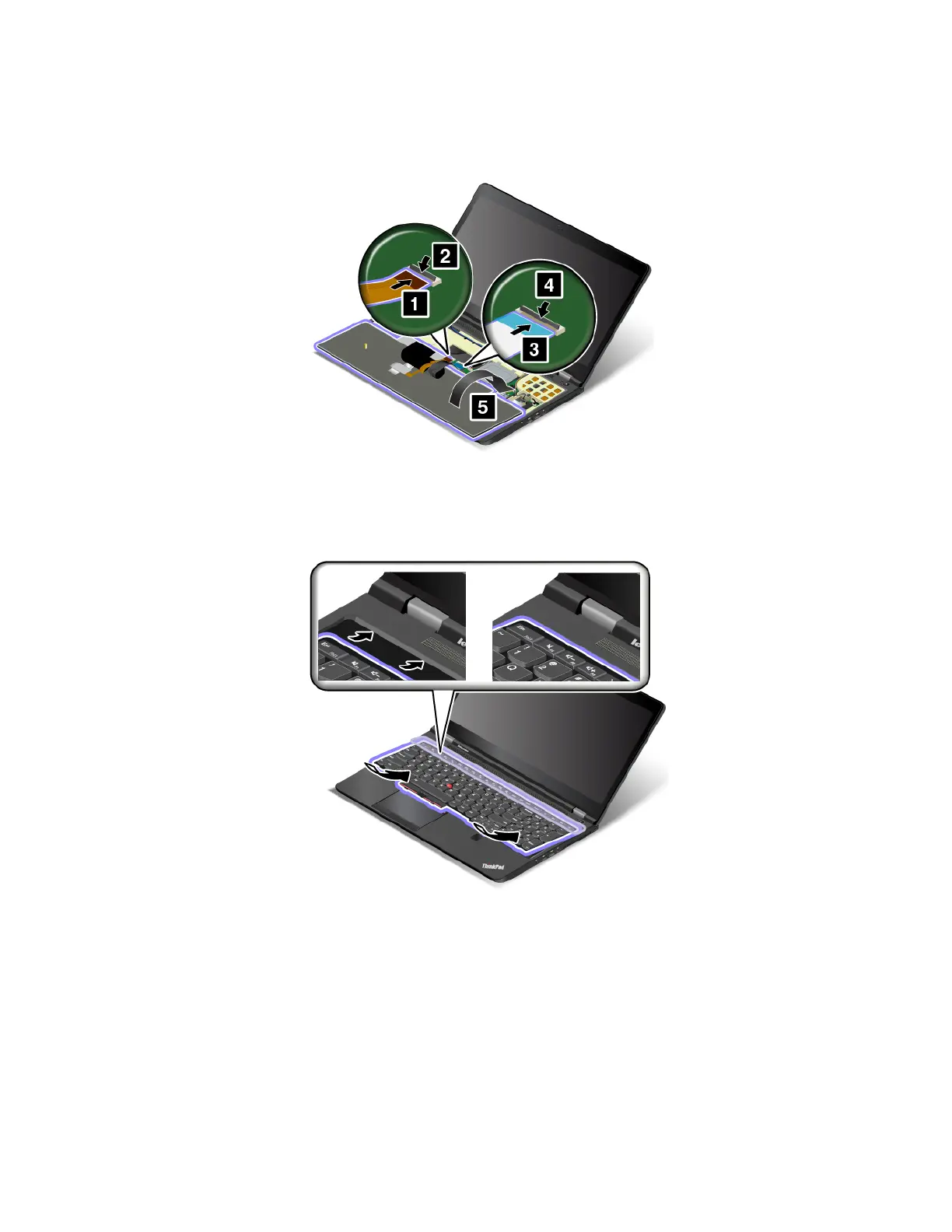
To install the new keyboard, do the following:
1. Attach the connectors, and then turn over the keyboard.
2. Insert the keyboard into the keyboard bezel as shown. Ensure that the front edge of the keyboard (the
edge that is close to the computer display) is under the frame of the keyboard bezel.
3. Slide the keyboard as shown by the arrows. Ensure that the latches are hidden under the keyboard
bezel.
128
P50 User Guide



 To Next Page