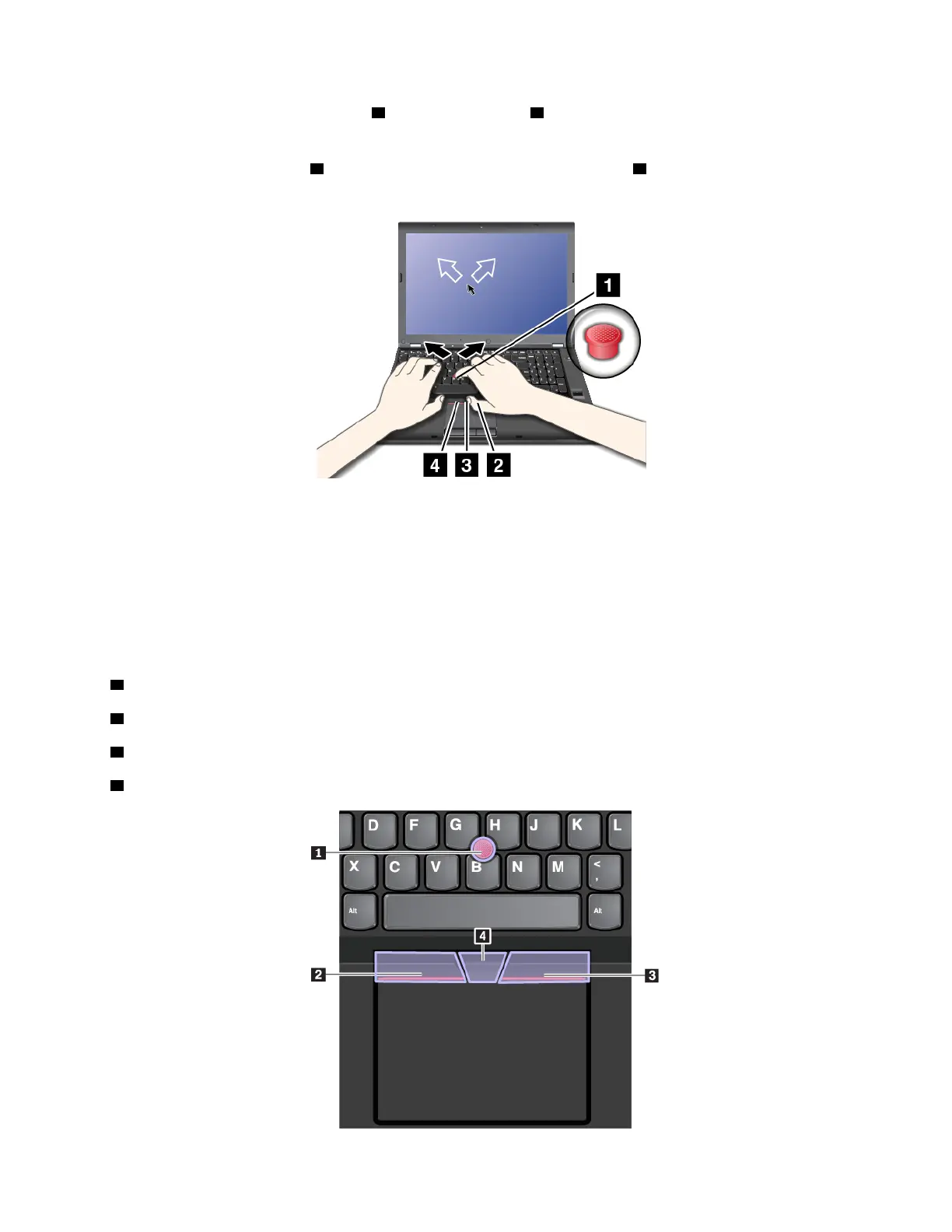
The functions of the right-click button 2 and left-click button 4 correspond to those of the right and left
mouse buttons on a conventional mouse.
Press and hold the scroll bar
3 while applying pressure to the pointing stick 1 in the vertical or horizontal
direction. Then you can scroll through the document, Web site, or programs.
Note: The pointer might drift. This is not a defect. Stop using the TrackPoint pointing stick for a few
seconds. Then the pointer stops drifting.
Using the TrackPoint pointing device
The TrackPoint pointing device enables you to perform all the functions of a traditional mouse, such as
pointing, clicking, and scrolling.
The TrackPoint pointing device consists of the following components:
1 Pointing stick
2 Left-click button (primary-click button)
3 Right-click button (secondary-click button)
4 Scroll bar
Chapter 2. Using your computer 25



 To Next Page