Left-side view
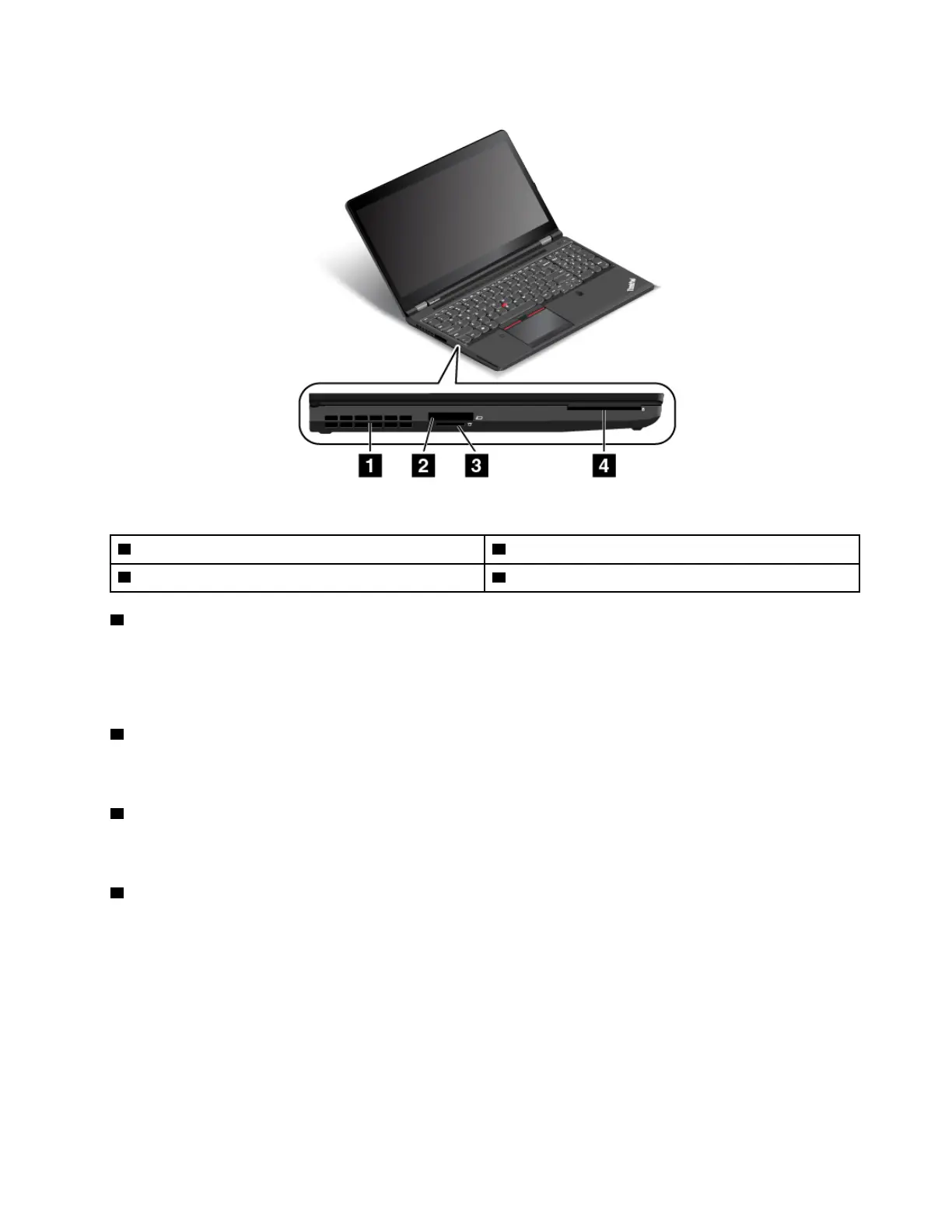
Figure 2. Left-side view
1 Fan louvers
2 ExpressCard slot
3 Media-card slot
4 Smart-card slot (available on some models)
1 Fan louvers
The fan louvers and internal fan enable air to circulate in the computer, which in turn ensure proper cooling,
especially the cooling of the microprocessor.
Note: To ensure proper airflow, do not place any obstacles in front of the fan louvers.
2 ExpressCard slot
Your computer has an ExpressCard slot. For more information, see “Using an ExpressCard, a media card, or
a smart card” on page 38.
3 Media-card slot
Your computer has a media-card slot. Insert your media card into this slot to read the data on the card. For
more information, see “Using an ExpressCard, a media card, or a smart card” on page 38.
4 Smart-card slot (available on some models)
Smart cards can be used for authentication, data storage, and application processing. Smart cards also
might provide strong security authentication for single sign-on (SSO) within large organizations. For more
information, see “Using an ExpressCard, a media card, or a smart card” on page 38.
Chapter 1. Product overview 3



 To Next Page