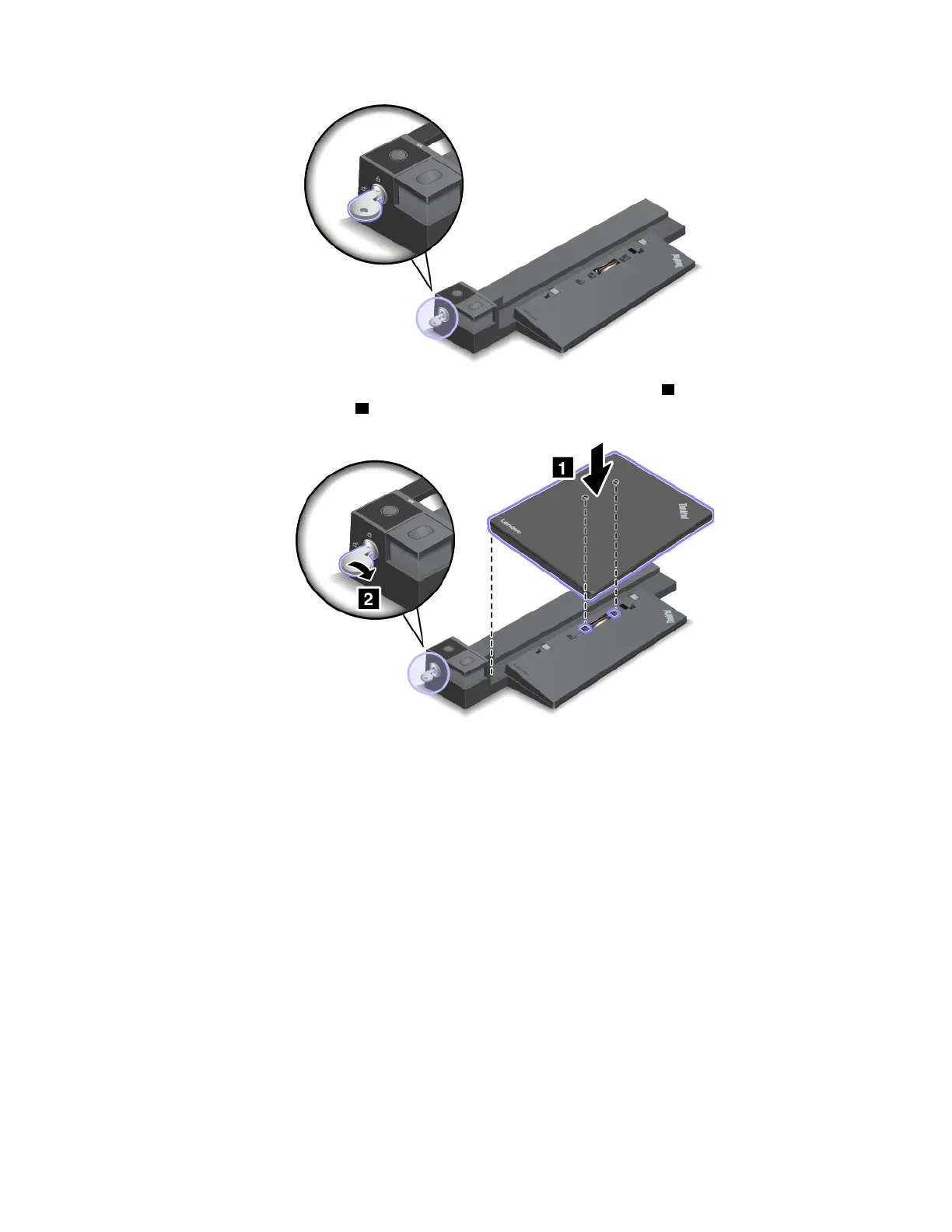
2. Attach your computer to the docking station as shown until you hear a click 1 . Turn the system lock key
to the locked position (vertical)
2 .
3. Check the docking status indicator. If the indicator is off, your computer is not attached to the docking
station successfully. To solve the problem, detach and reattach the computer. If the problem persists,
detach and reattach the ac power adapter of the docking station.
Note: If you attach the computer to the docking station, but do not connect the docking station to ac power,
your computer consumes battery power.
Detaching the docking station from your computer
Attention: When the computer is attached to a docking station, do not pick up the assembly by taking hold
of the computer only. Always hold the whole assembly. Otherwise the docking station might drop down.
To detach the docking station from your computer, do the following:
1. Disconnect all cables and devices from the computer and the docking station.
2. Turn the system lock key to the unlocked position (horizontal).
Chapter 3. Enhancing your computer 47



 To Next Page