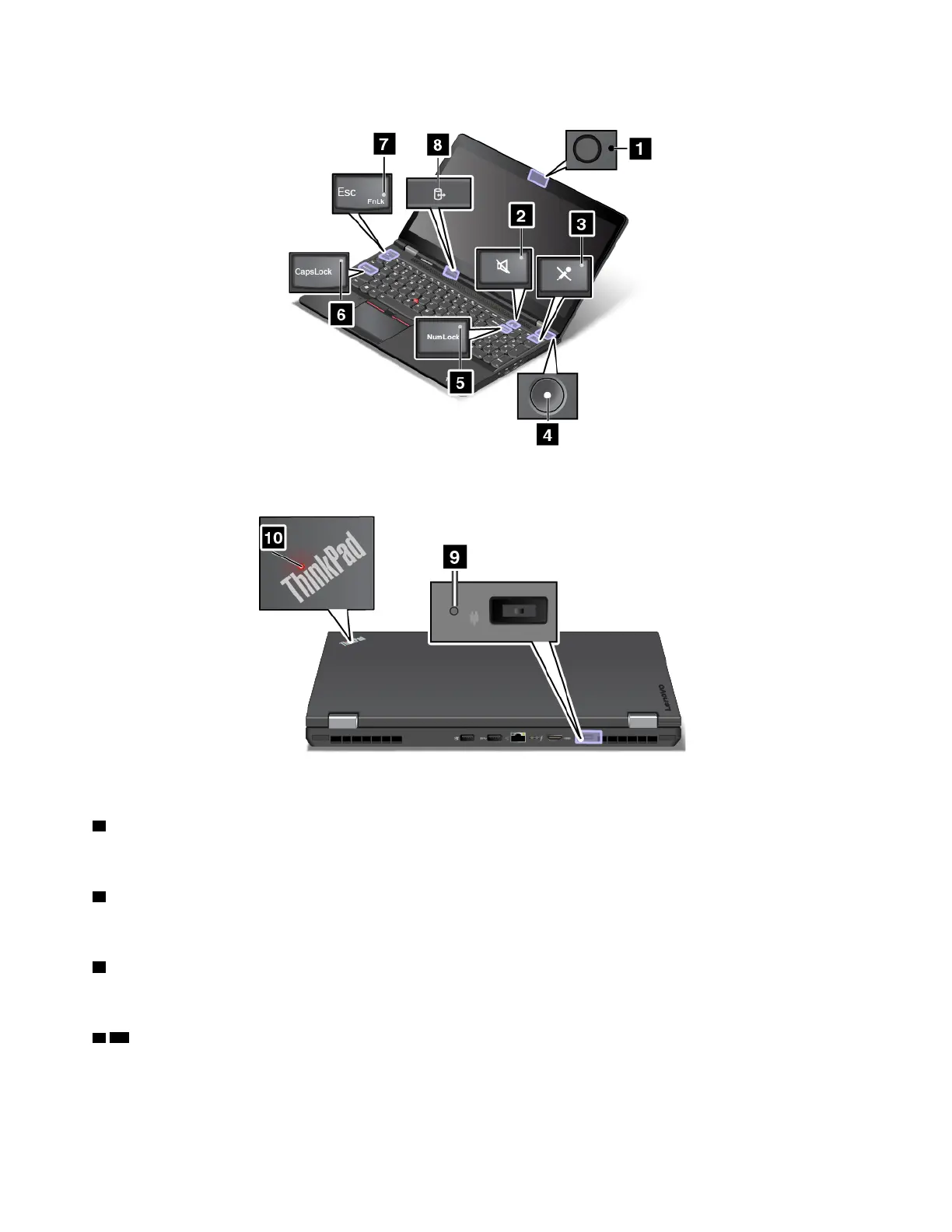
1 Camera-status indicator
When the camera-status indicator is on, the camera is in use.
2 Speaker-mute indicator
When the speaker-mute indicator is on, the speakers are muted.
3 Microphone-mute indicator
When the microphone-mute indicator is on, the microphones are muted.
4 10 System-status indicators
The indicator in the ThinkPad logo and the indicator in the center of the power button show the system status
of the computer.
• Blinks for three times: The computer is initially connected to power.
8
P50 User Guide



 To Next Page