1CECP(ChinaModel)label2GenuineMicrosoftlabel(onsomemodels)
5Israellabel
6IndiaBISlabel
7IndonesiaRatinglabel8Postellabel
9Israellabel10BrazilWLANlabel
11ICASAlable12SIRIMlabel
13KCCsafetylabel
14Assettag_40Y917Y
15Assettag
16GEOlabel
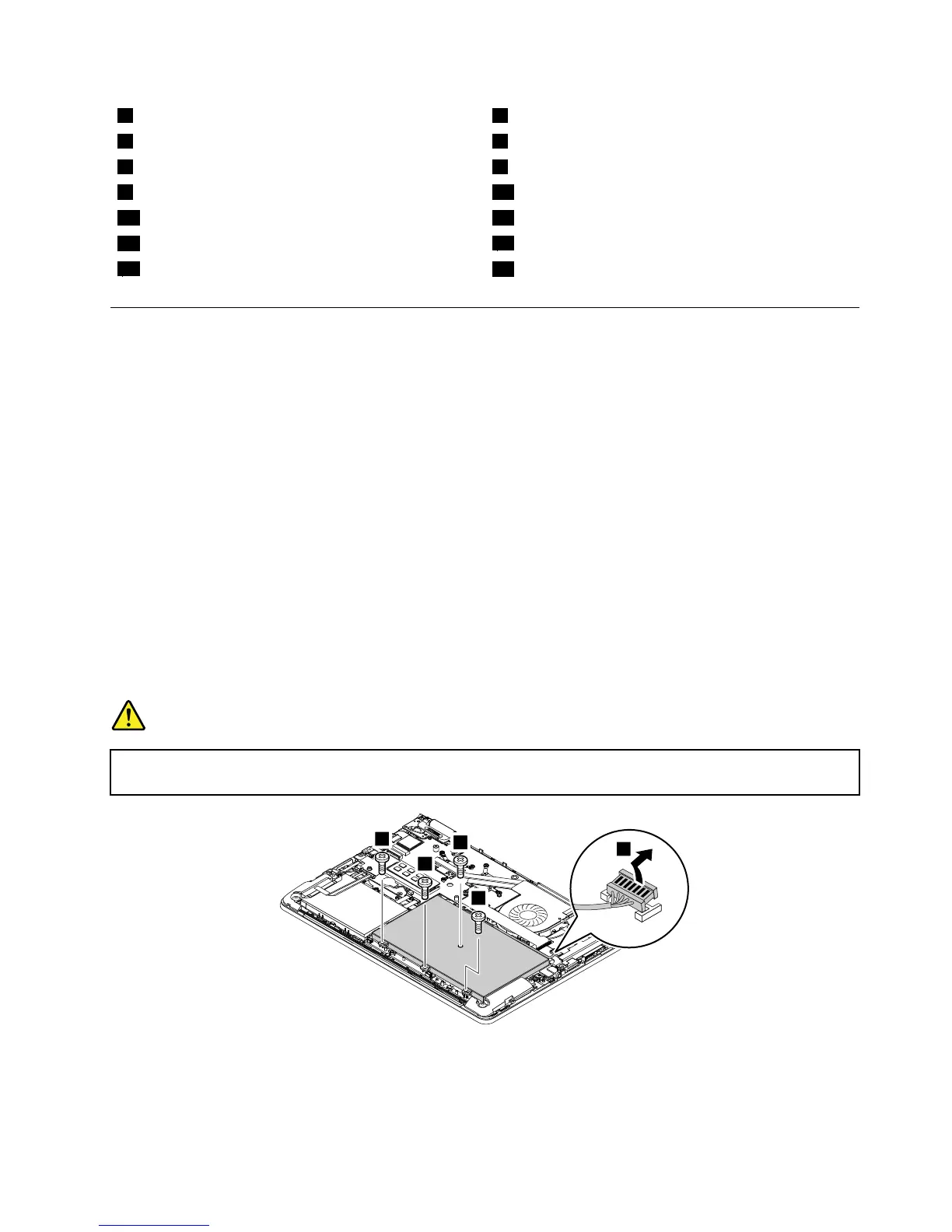
1040Batterypack
Foraccess,removethisFRU:
•“1010Lenovo-OneLink-connectorcover”onpage60
•“1030Basecoverassembly”onpage63
Importantnoticesforreplacingabatterypack
Attention:Lenovohasnoresponsibilityfortheperformanceorsafetyofunauthorizedbatteries,and
providesnowarrantiesforfailuresordamagearisingoutoftheiruse.
TheLenovoSolutionCenterprogramprovidesanautomaticbatterydiagnostictestthatdeterminesifthe
batterypackisdefective.AbatterypackFRUshouldnotbereplacedunlessthisdiagnostictestshows
thatthebatteryisdefective.Theonlyexceptiontothisisifthebatterypackisphysicallydamagedora
customerisreportingapossiblesafetyissue.
IftheLenovoSolutionCenterprogramisnotinstalledonthecomputer,thecustomershoulddownloadand
installtheprogramtodiagnosethebatterypack,beforegettinganon-physicallydamagedbatterypack
replaced.Notethatthereplacementofaphysicallydamagedbatterypackisnotcoveredbythewarranty.
Removalstepsofthebatterypack
DANGER
Useonlytheauthorizedbatteryspecifiedforyourcomputer.Anyotherbatterycouldigniteor
explode.



 To Next Page