Customer Quality Management
© 2018 THINKWARE. All rights reserved. 12
7. Installation
• Installation of the constant power cable
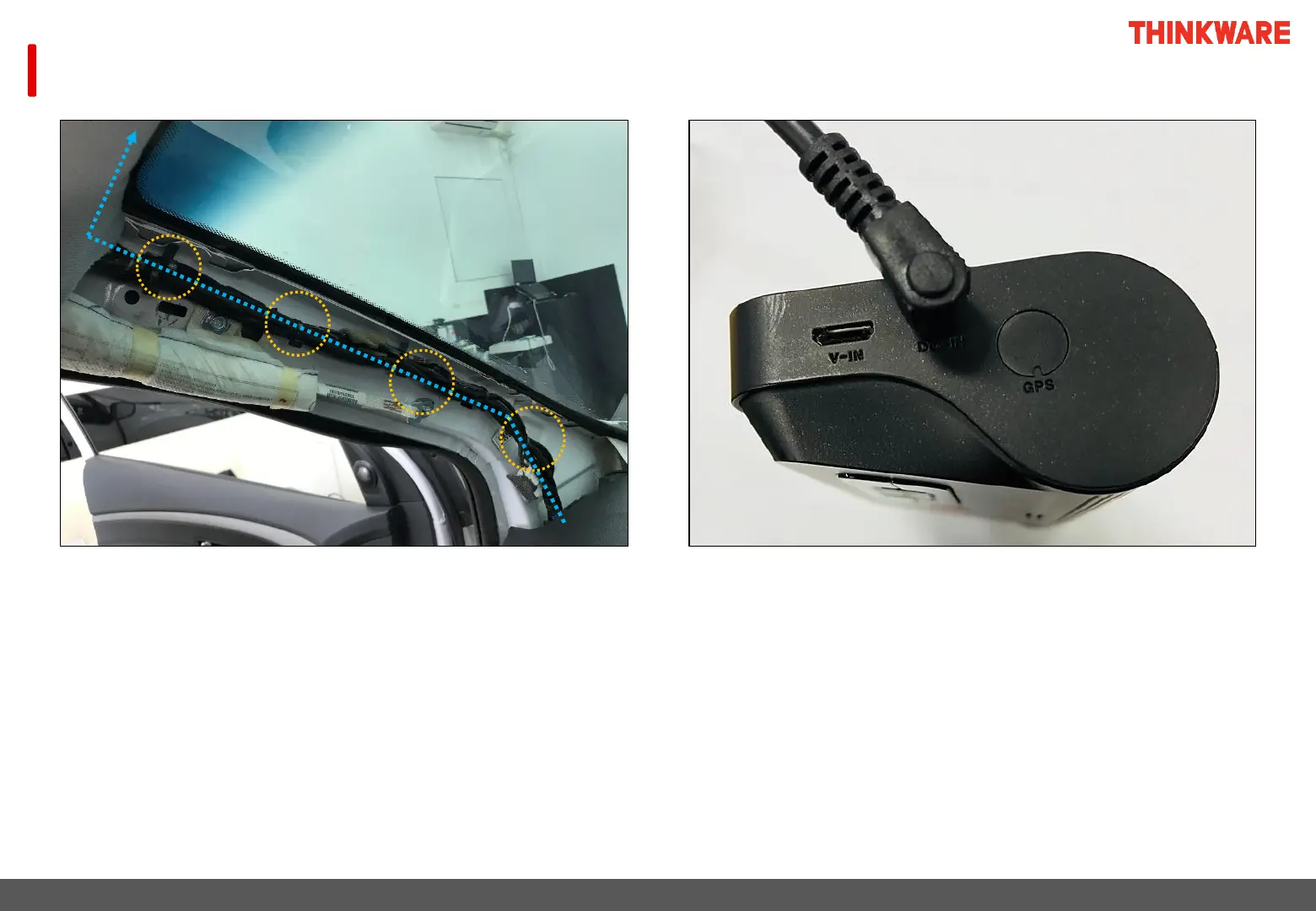
① Remove the A-pillar cover on the driver's seat
② Organize the constant power cable from the kick panel to the A-pillar
③ Organize the wires following the genuine wiring of
the vehicle to the dash cam
③ Fix together with the genuine wiring using cable ties
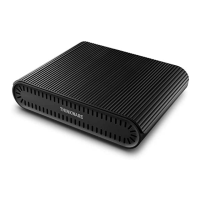
⑤ Connect the constant power cable connector to
the 『DC-IN』 slot of the dash cam



 To Next Page