Note: Pairing mode will last for 3 minutes. If you haven’t pair it with other devices during this time, it will
automatically exist the pairing. If you want the plug back to pairing mode, just simply unplug it from the
outlet and then plug it in or factory reset it by pressing and holding the button for more than 10 seconds until
the LED light flashes.
Factory Reset
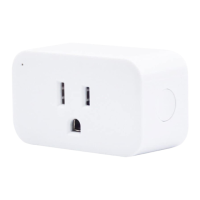
After your Smart Plug is powered on, press and hold the ON/OFF button for more than 10 seconds until the LED
light flashes indicating that your Smart Plug is in pairing mode. (The mode won’t be changed while factory reset
your Smart Plug.)
Setup your ZigBee hub by following its user manual.
Press and hold the button on the Smart Plug, then insert it into an outlet for more than 10 seconds
until the red light is ON.
Release the button and then press the button twice immediately. LED light will flash in red, indicating
that your Smart Plug is in ZigBee mode now.
Follow the instructions in the corresponding App to complete the setup.
Pair with compatible Echo or Devices with ZigBee hub
13
1.
2.
3.
4.


 To Next Page