Fail to pair with Echo
Make sure your Echo Speaker is compatible with Smart Plug (See the Compatible Devices List) and the
Smart Plug is in the right mode.
3.
Please ensure your Echo Devices are setup before adding the Smart Plugs
Reboot the Echo speaker or Zigbee hub by unplugging the power and plugging it back in, then try to pair
the Smart Plug with it again.
Factory reset the Echo speaker (Press and hold the Action button for 25 seconds. The light ring will pulse
orange, then turn off. Wait for the light ring to turn back on and turn blue. The light ring then turns
orange again and the device enters the setup mode), then try to pair the Smart Plug with it again.
15
Trouble Shooting
Check the Smart Plug’s mode
2.
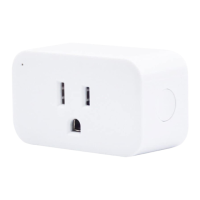
Insert the plug into an outlet and turn it on.
Check the status of the LED light. Green means in BLE mode; Red means in ZigBee mode.
Factory reset the Smart Plug
Power on the Smart Plug, and then press and hold the button for more than 10 seconds until the LED light
flashes in red.
1.


 To Next Page