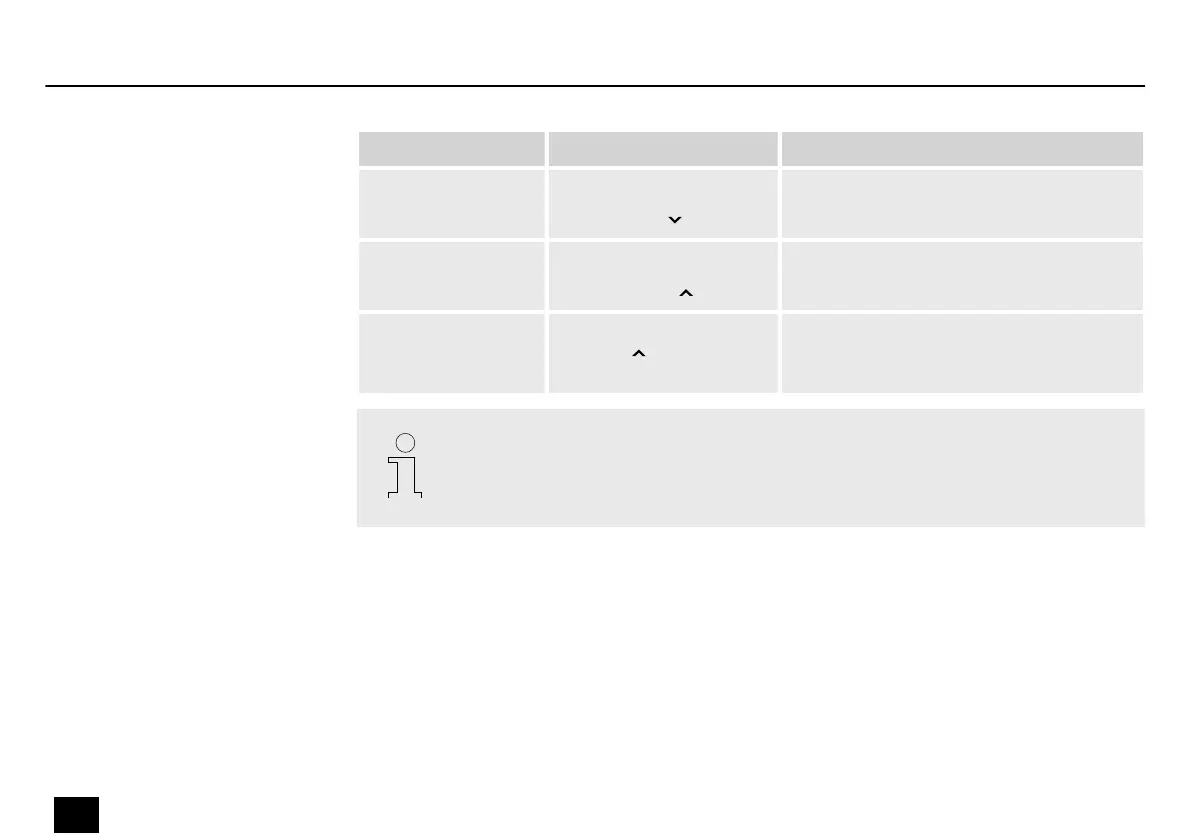
Submenu Trigger Description
‘DUB’ With PLAY activated:
Press [TUNER]
The dubbing starts.
‘STOP’ With PLAY/DUB activated:
Press [LOOPER]
Playback or dubbing stops.
‘CLEAR’ Press and hold
[LOOPER] for one
second
All audio tracks are deleted.
– After recording for more than 80 seconds, the looper automatically starts play‐
back.
– Editing presets does not aect the sound of the recorded track.
Operation
34
DNAfx GiT Core
Multi Eects Unit






 To Next Page