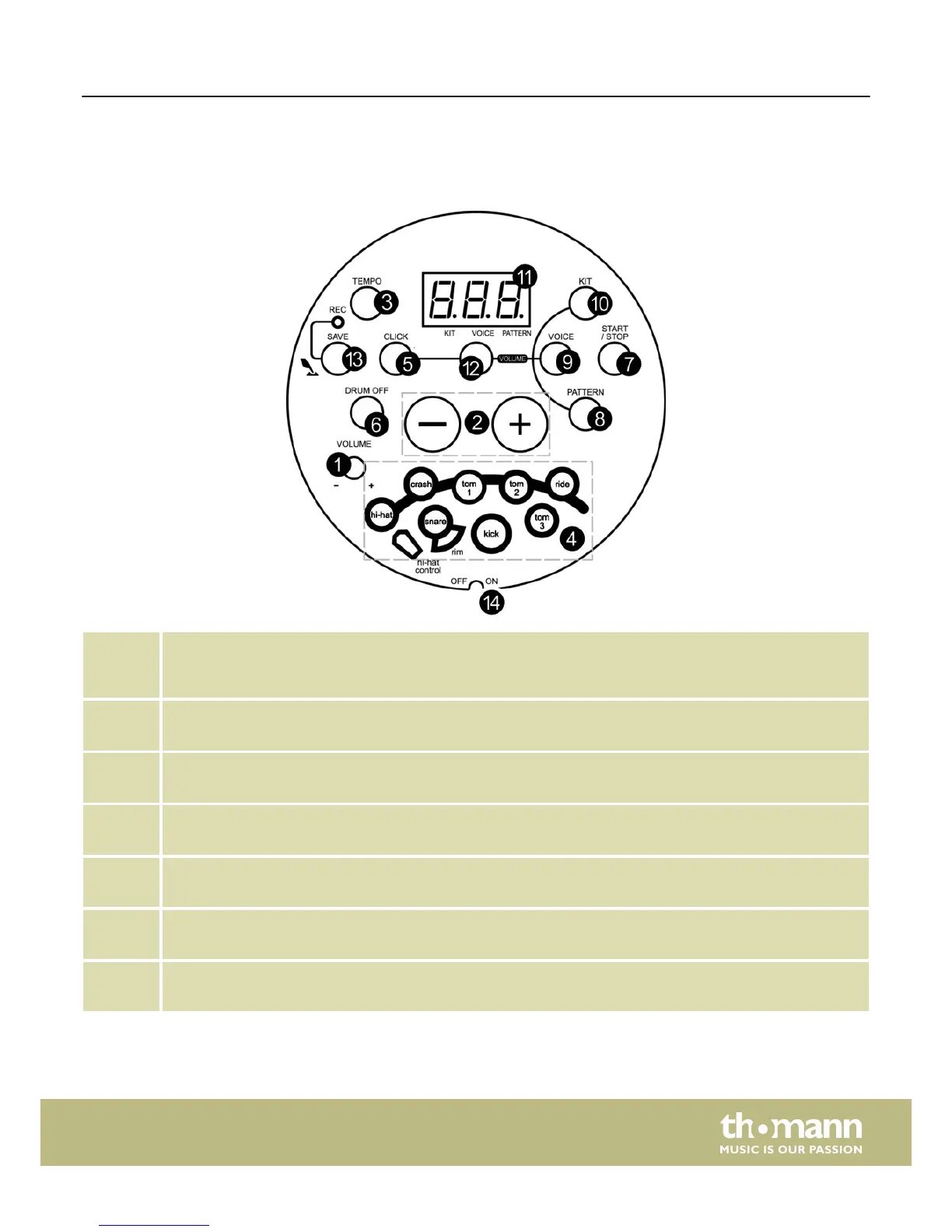
4 Operating elements
Top panel
1 [VOLUME]
Volume control for the headphones output. Turn it clockwise to increase the volume, turn it counterclockwise to
decrease the volume.
2 [+/–]
Use these buttons to increase or decrease the value of the currently selected parameter.
3 [TEMPO]
For tempo adjustment.
4 ‘Pad indicators’
During playing these indicators show the currently triggered pads.
5 [CLICK]
Button for switching the metronome function on / off.
6 [DRUM OFF]
Use this button to mute the drum part of a song.
7 [START/STOP]
Button to start / stop song playback.
Operating elements
HD-100
7














 To Next Page