8 Recording
Enter the recording waiting mode
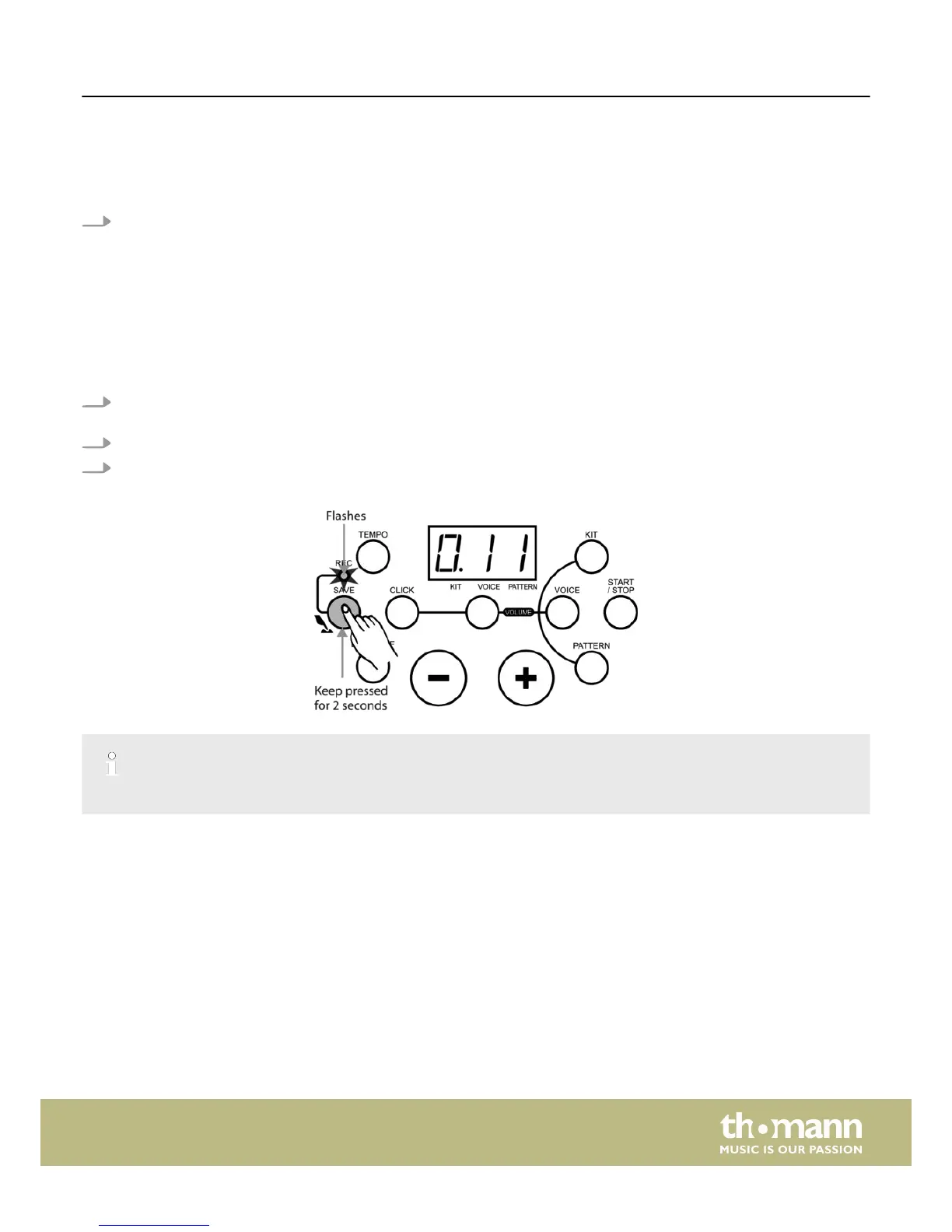
1. Press and hold the [SAVE] button for about 2 seconds to enter user pattern recording waiting mode.
In recording waiting mode the following parameter can be adjusted:
n The ‘pattern number’ for the accompaniment
n The ‘tempo’
n The ‘kit number’
n The ‘drum off’ status
n ‘metronome’ on/off
ð
The LED display indicates the current ‘kit number’ and the ‘REC’ indicator flashes.
2. Press the [PATTERN] button in recording waiting mode to display the pattern (---/001~040) for the automatic accompani‐
ment for recording.
3. Select it using the [+/–] buttons.
4. Choose ‘---’ if you'd like to record a solo drum part.
VOICE selecting function is not available in recording waiting mode.
Enter recording mode
n No parameters can be adjusted during recording. Only [START/STOP] and [CLICK] buttons are available then.
n During recording the original data will be replaced with the newly recorded user pattern.
n The click sound will not be recorded.
Recording
HD-100
23














 To Next Page