3 SpeedTouch™ for Microsoft Windows
3EC 36714 BAAA TCZZA Ed. 02
13
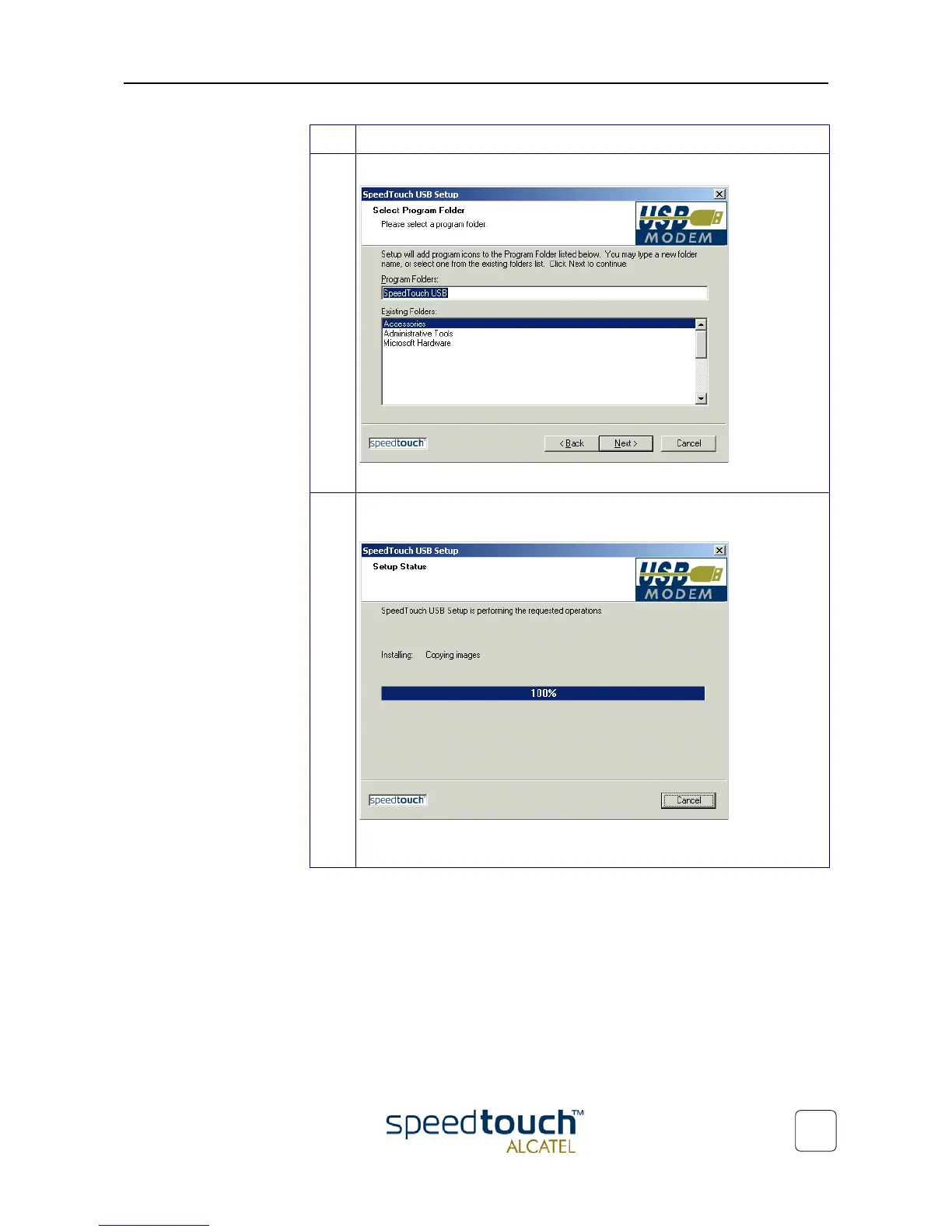
6 The 'Select Program Folder' window pops up:
Click Next to proceed.
7 The SpeedTouch Setup wizard (application) copies SpeedTouch™ driver soft-
ware to your local disk:
Note for Windows ME/2000/XP user only: If a 'Digital Signature' window pops
up, click Yes to continue.
Step Action



 To Next Page