3EC 36714 BAAA TCZZA Ed. 02
3 SpeedTouch™ for Microsoft Windows
12
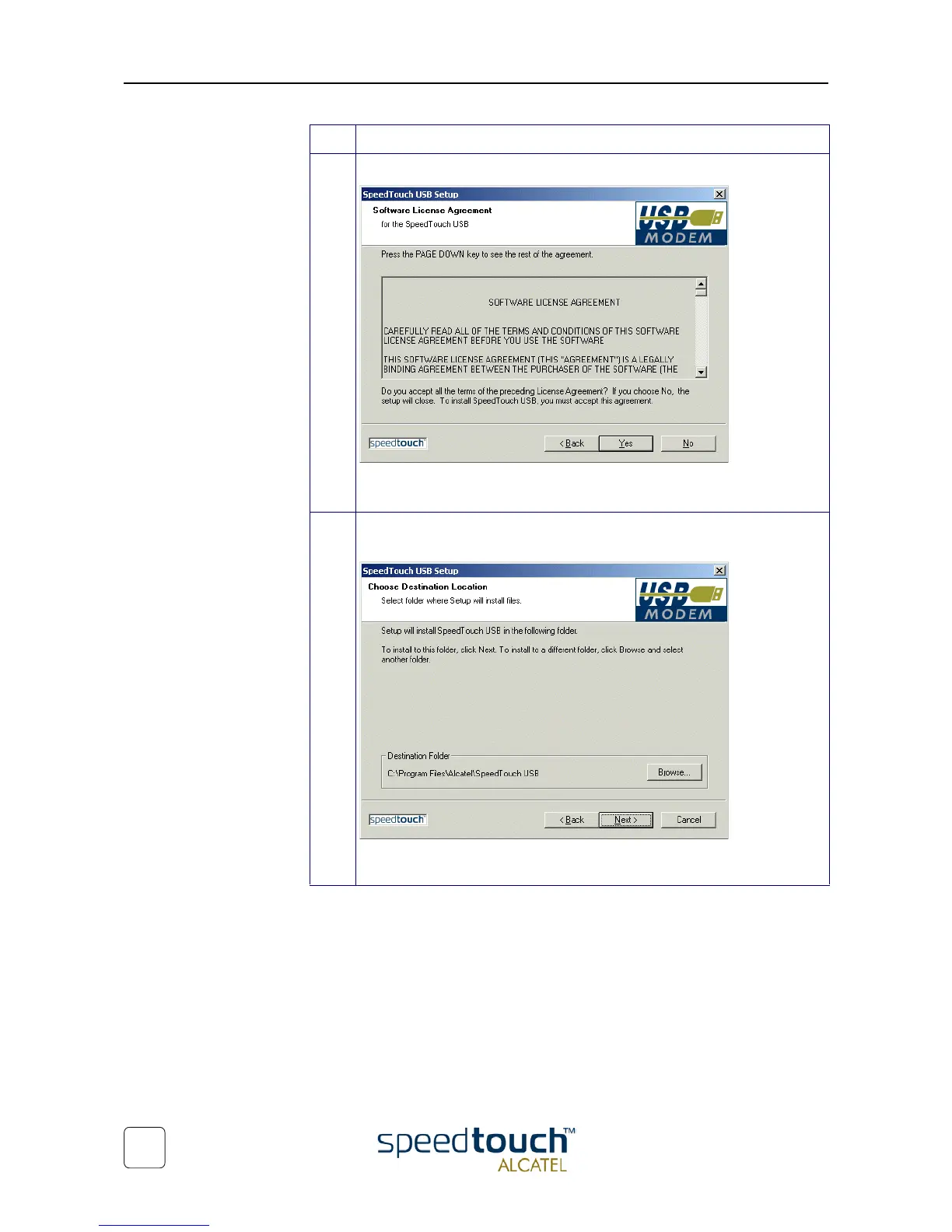
4 The 'Software License Agreement for SpeedTouch™' window pops up:
Click Yes to accept the terms of the agreement and to continue the installa-
tion.
5 The following window allows you to choose a destination folder for the
SpeedTouch™ driver software:
In most cases the proposed destination is best suited for the SpeedTouch™
driver software. Click Next to proceed.
Step Action



 To Next Page