3EC 36714 BAAA TCZZA Ed. 02
4 SpeedTouch™ for Mac OS
30
5 Click the 'Proxies' tab. This panel shows the proxy settings. By default all
fields are empty, i.e. no proxies are used. As this suits the required Speed-
Touch™ configuration, no changes are needed in this panel.
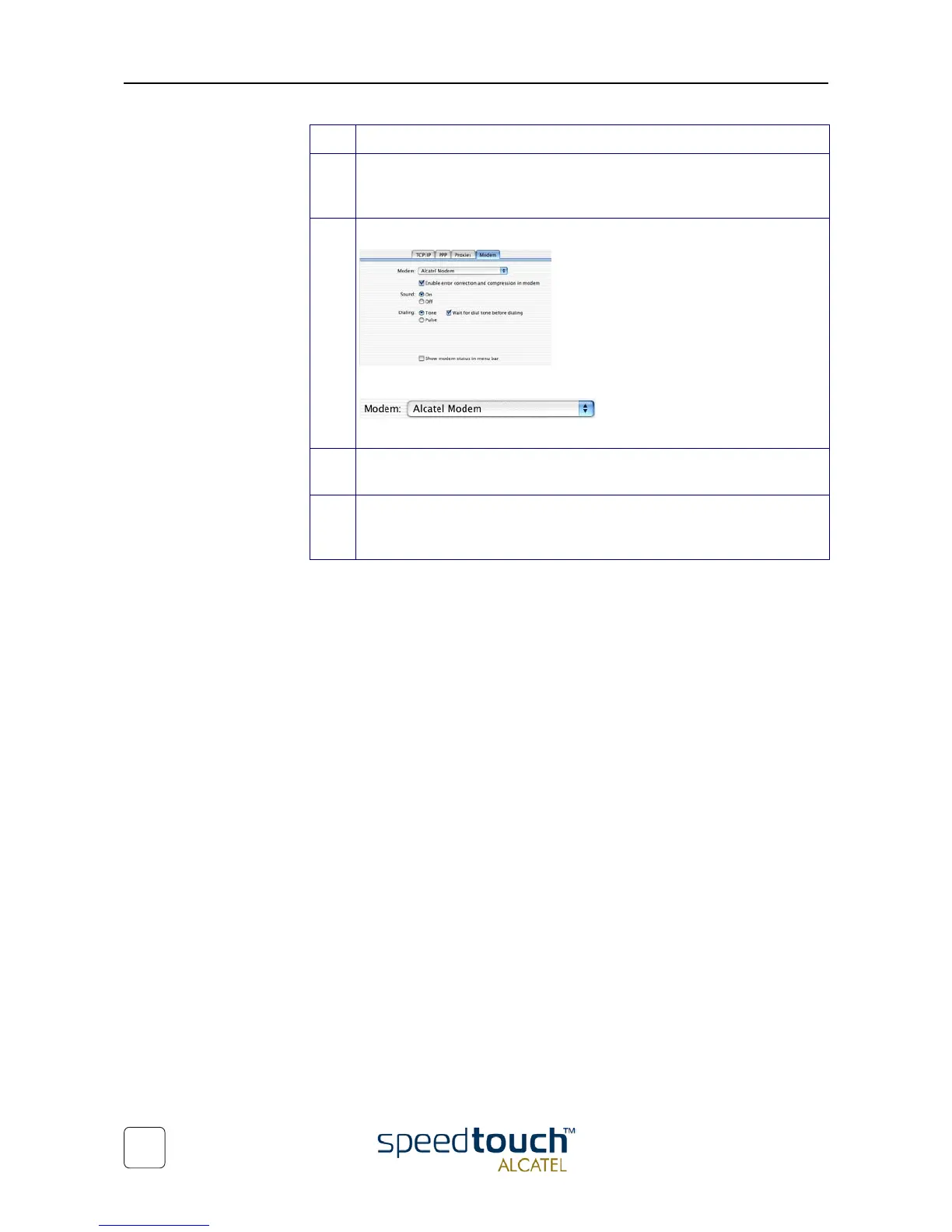
6 Click the final tab 'Modem'. This panel shows the modem configuration:
From the list of modems select the 'Alcatel Modem':
Leave the other modem settings unchanged.
7 Run through all panels again to check whether all configurations are correctly
done as described above and click Apply Now to apply the settings.
8 To prevent further changes you can click the lock to secure your settings.
From then on changes are only possible after providing the Administrator
password.
Step Action



 To Next Page