14
Back-up Batteries
2
1
UM3/AA/LR6
UM3/AA/LR6
4
3
Battery Back-Up
The power failure protection circuit
will not operate unless battery is
installed.
When the battery backup functions,
the digital display will not light,
however, the function of alarm still
occurs during the power interruption if
remaining battery power is adequate.
Normal operation will resume after AC
power is restored so you will not have
to reset the time or the alarm.
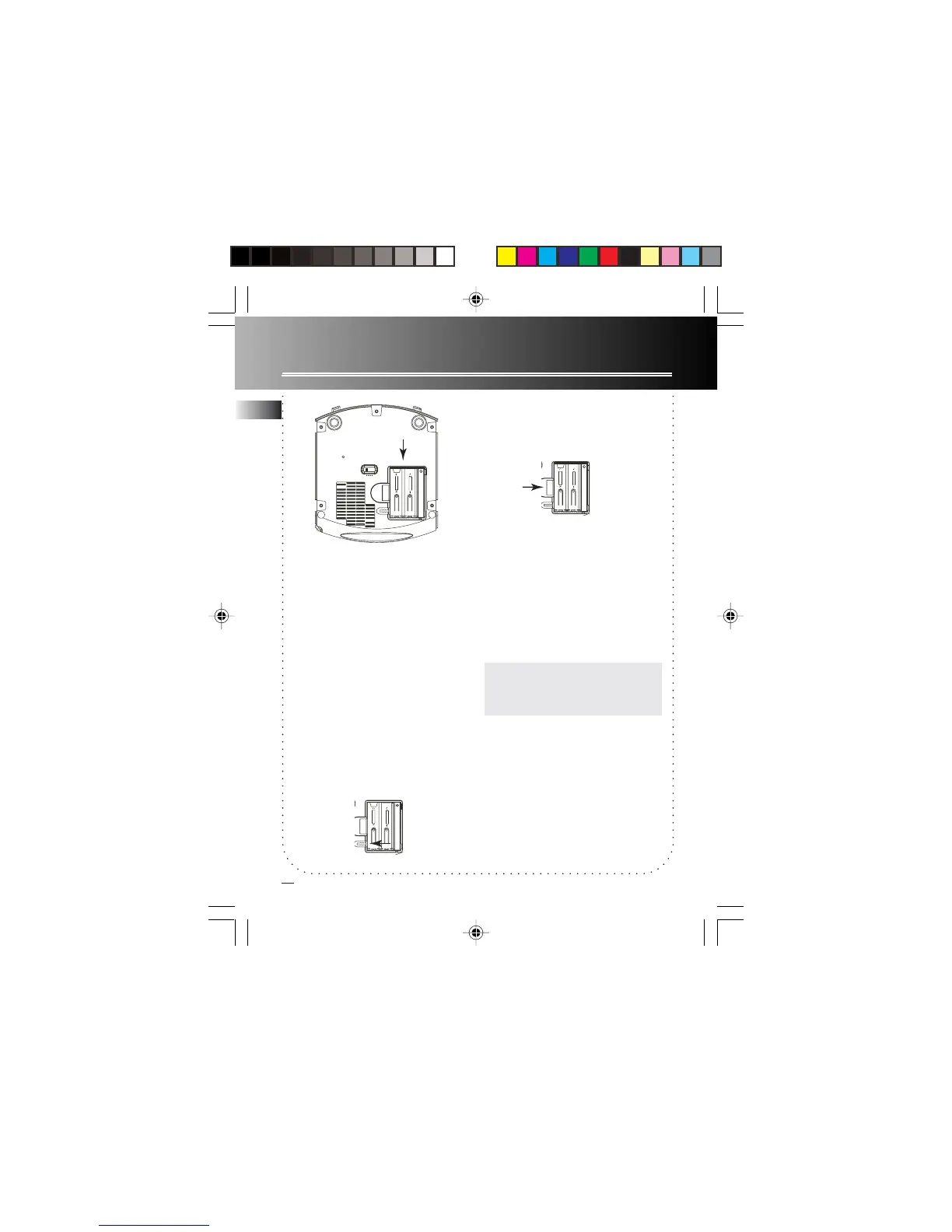
Installing batteries
1. Unlock the battery compartment
door (located at the bottom of
the radio) by sliding the tab away
from the door.
2. Remove battery compartment door
(located at the bottom of the radio)
by applying thumb pressure to the
tab on battery door and then lift the
door out and off the cabinet.
3. Before inserting the batteries,
observe the polarities (That is, + and
-) of the battery, then relate the
polarities to the engraved diagram
inside the battery compartment.
Connect 2 “AA” battery to the
connector plug.
4. Replace the compartment door and
lock the door in place by pushing the
tab towards the compartment door.
NOTE:NOTE:
NOTE:NOTE:
NOTE:
We recommend that you replace the
batteries every year.
Power Failure Indicator
When AC power is interrupted
(disconnected) for a short period of
time, both time and alarm settings will
change (unless batteries are installed).
After AC power is restored
(reconnected), the Digital Display will
blink to indicate that power was
interrupted and you should readjust the
time and alarm settings.
EN
UM3/AA/LR6
UM3/AA/LR6
UM3/AA/LR6
UM3/AA/LR6
C_RR520CD EN 5/20/04, 1:07 PM17



 To Next Page