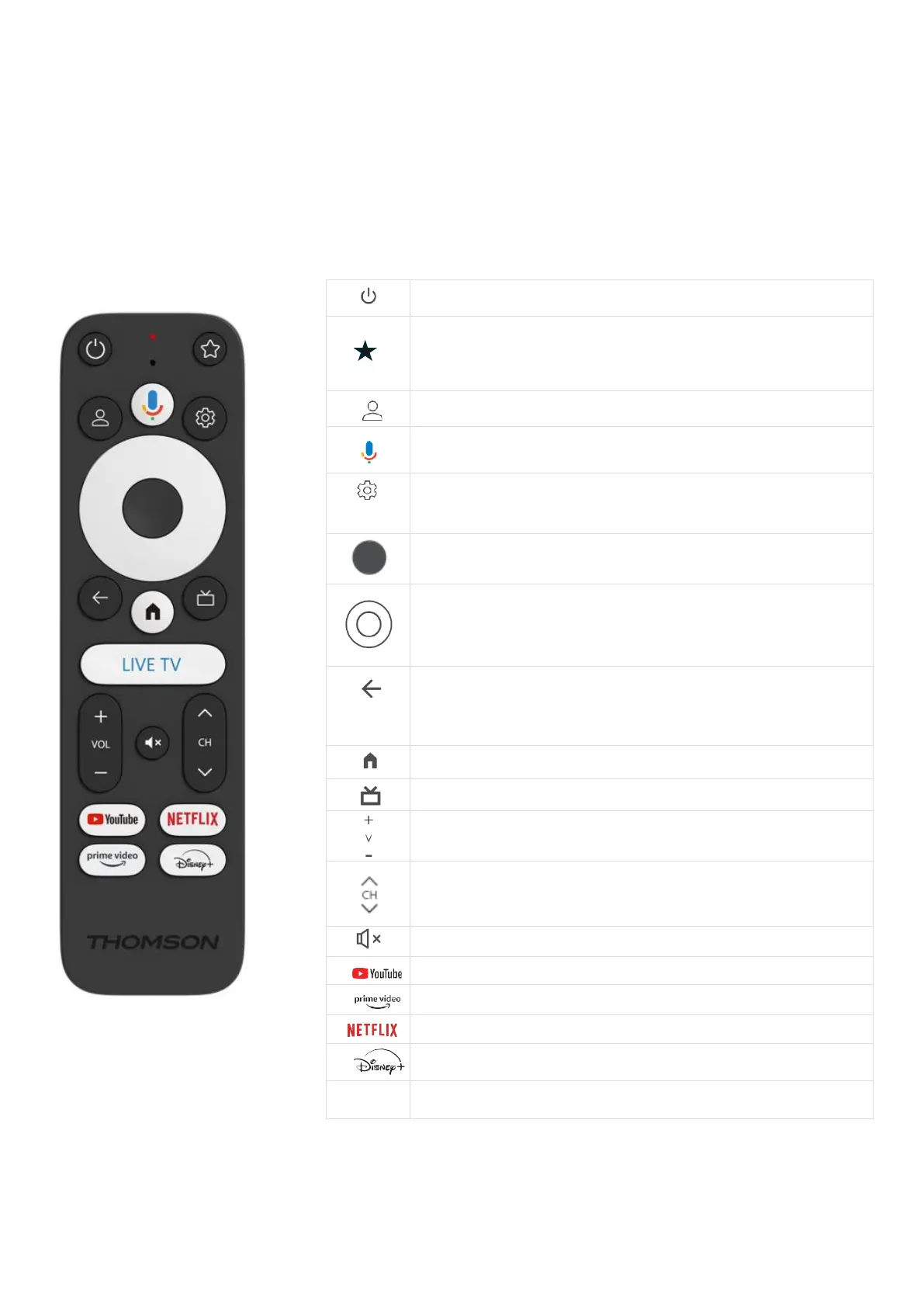
Standby: Fast standby / Standby / On
Press and hold this button to activate the shortcut function of
this button. Briefly press the star button to select the desired
or to select the input source.
Change profile: Switches user profiles
Microphone: Activates the Google Assistant and the microphone
integrated into the remote control
Settings: Display Live TV Settings menu (in Live TV mode), display
available setting options such as sound and picture
OK: Confirms the selections
Direction button (D-pad): Navigating in the menu, setting options,
moving the focus or cursor, etc.
Back/Return: Return to previous menu screen, go one step back,
close windows, close teletext (in Live TV-Teletext mode). Exit the
playback of multimedia files and return to the MMP (Multi Medi
Player) overview menu
Home: Opens the Home Screen.
Volume +/-: Controls the sound volume of the TV
Programme +/-: Zapping the individual TV/radio channels. Scrolls
through the channel list page by page when the channel list is
displayed on the TV screen.
Mute: Switches the volume of the TV off completely.
YouTube: Starts the YouTube application
Prime Video: Starts the Prime Video application
Netflix: Starts the Netflix application
Disney+: Launch the Disney+ application
Launch the Live TV application



 To Next Page