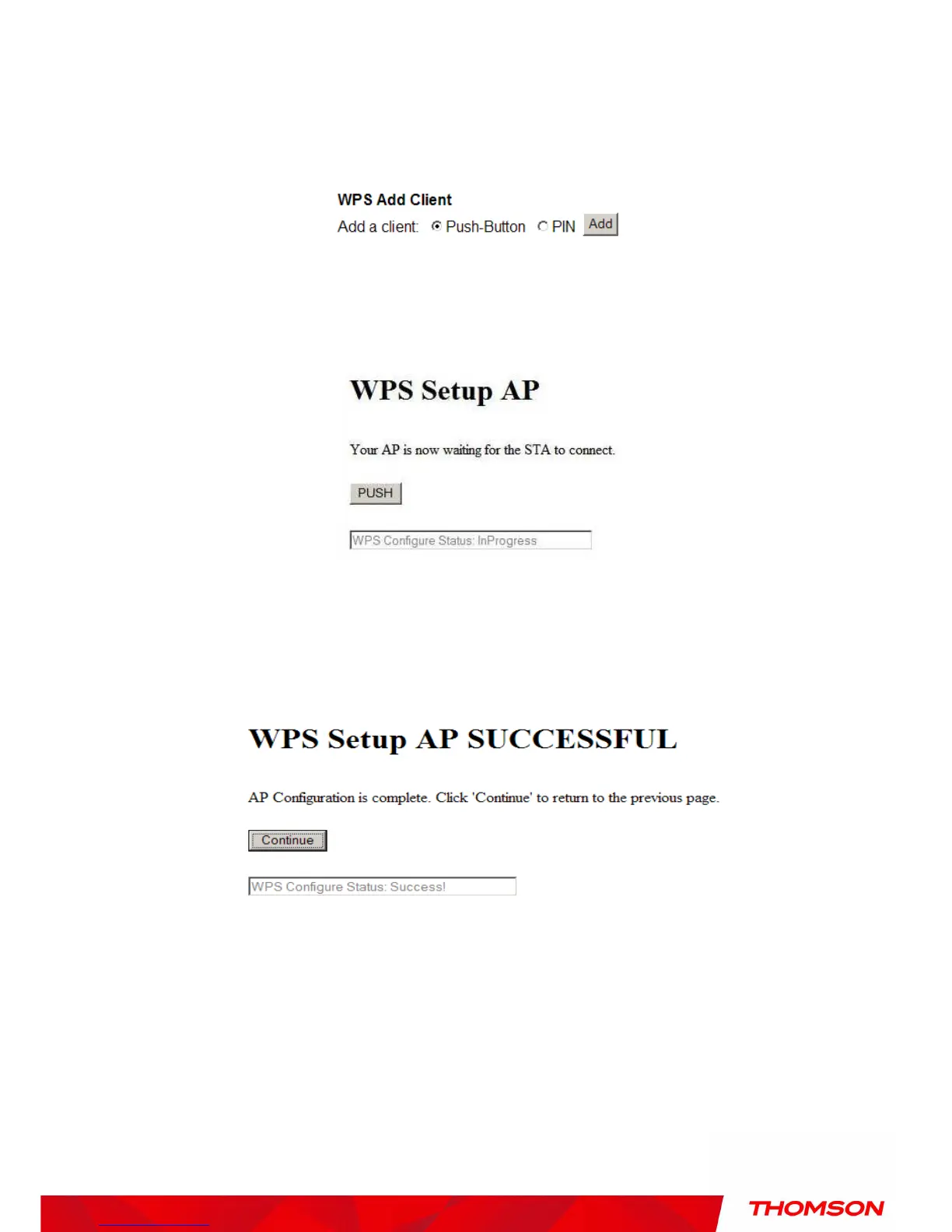
If you select “Push-Button”, then the WPS Add Client option will appear as shown below.
Fig. 42 WPS/Push-Button
And then if you click “Add” button then WPS Setup AP page will appear as shown in Fig.38
Fig. 43 WPS Setup AP/PUSH
And WPS Configure Status will be “In progress”, after establishing the connection the WPS
Configure Status will be “Success!” as shown below. After successful connection the client will
get IP address from AP and then internet will be accessible.
Fig. 44 WPS Setup AP successful/PUSH


 To Next Page