Page 6 ETN037435-D02
LSS10 LED Light Box
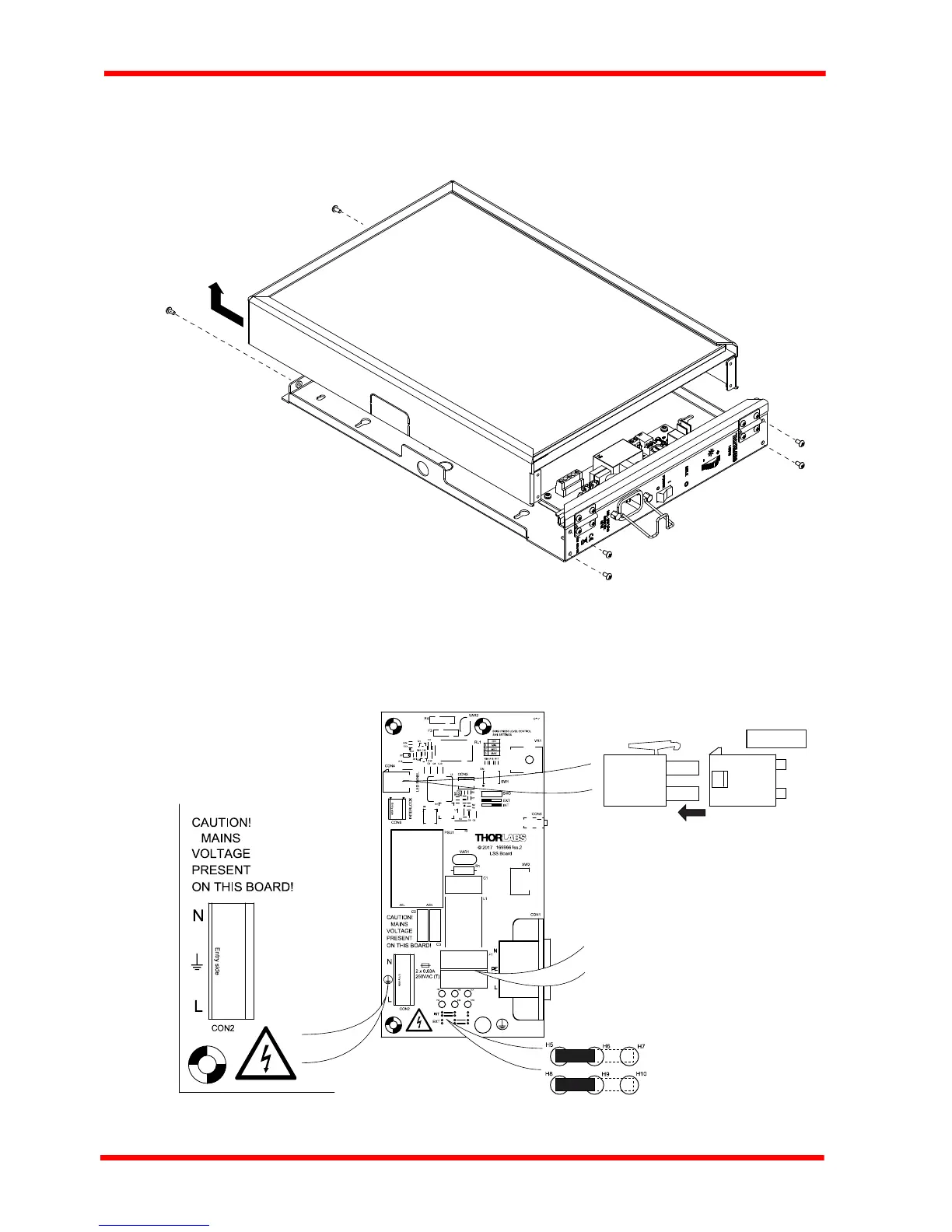
3) Pull to the left and forward to remove as shown in Fig. 3.2 over the page. Keep the
cover supported until the internal electrical connection is disconnected at the next
step.
Fig. 3.2 Removing the front panel
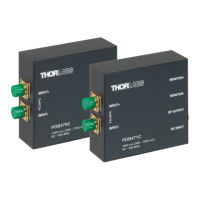
4) Unclip the connection to the LED circuit CON4 - see Fig. 3.3 then remove the panel.
5) Ensure mains power is disconnected, then move the INT /EXT jumpers at the
bottom of the PCB to the INT position as shown below.
Fig. 3.3 Internal mains connection
Neutral
Earth
Live
FUSES F1 and F2
0.63A, 250 VAC.
CON4
LED PANEL
R15


 To Next Page