EasyManua.ls Logo

Three Web Cube - User Manual

Three Web Cube
15 pages
Print Icon
To Next Page IconTo Next Page
Loading...
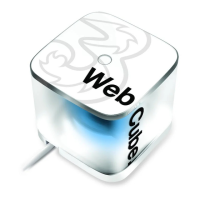
Web Cube.
Broadband in a box.
Getting started
guide.
Question and Answer IconNeed help?

Do you have a question about the Three Web Cube and is the answer not in the manual?

Summary

Getting to know your Web Cube

Web Cube Components Overview

Identifies and describes the key physical components and indicators of the Web Cube device.

Getting Started with Your Web Cube

Inserting the SIM Card

Step-by-step instructions for correctly inserting the SIM card into the Web Cube.

Connecting the power supply

Connecting to Mains Power

Guide on how to connect the Web Cube to a mains power source for operation.

Connecting to your Web Cube

Connecting a Laptop or Computer

Instructions for establishing a wireless connection from a laptop or computer to the Web Cube.

Security

WPS Connection and Security Codes

Details on setting up a WPS connection and understanding security codes (SSID/Wi-Fi Key).

Getting online

Online Modes Explained

Explanation of the three available online modes: Auto, Manual, and On Demand.

Network and Signal Status

Understanding Indicators and Status

Explains network status indicators, signal strength, and their corresponding operational statuses.

Changing your settings

Accessing and Modifying Settings

Instructions on how to access the Web Cube's online settings page for configuration.

Restoring default settings

Factory Reset Procedure

Steps to reset the Web Cube to its original factory default settings.

Help and support

Troubleshooting and Further Assistance

Provides quick solutions for common issues and directs users to online support resources.

Summary

Getting to know your Web Cube

Web Cube Components Overview

Identifies and describes the key physical components and indicators of the Web Cube device.

Getting Started with Your Web Cube

Inserting the SIM Card

Step-by-step instructions for correctly inserting the SIM card into the Web Cube.

Connecting the power supply

Connecting to Mains Power

Guide on how to connect the Web Cube to a mains power source for operation.

Connecting to your Web Cube

Connecting a Laptop or Computer

Instructions for establishing a wireless connection from a laptop or computer to the Web Cube.

Security

WPS Connection and Security Codes

Details on setting up a WPS connection and understanding security codes (SSID/Wi-Fi Key).

Getting online

Online Modes Explained

Explanation of the three available online modes: Auto, Manual, and On Demand.

Network and Signal Status

Understanding Indicators and Status

Explains network status indicators, signal strength, and their corresponding operational statuses.

Changing your settings

Accessing and Modifying Settings

Instructions on how to access the Web Cube's online settings page for configuration.

Restoring default settings

Factory Reset Procedure

Steps to reset the Web Cube to its original factory default settings.

Help and support

Troubleshooting and Further Assistance

Provides quick solutions for common issues and directs users to online support resources.

Three Web Cube Specifications

General IconGeneral
BrandThree
ModelWeb Cube
CategoryWireless Router
LanguageEnglish