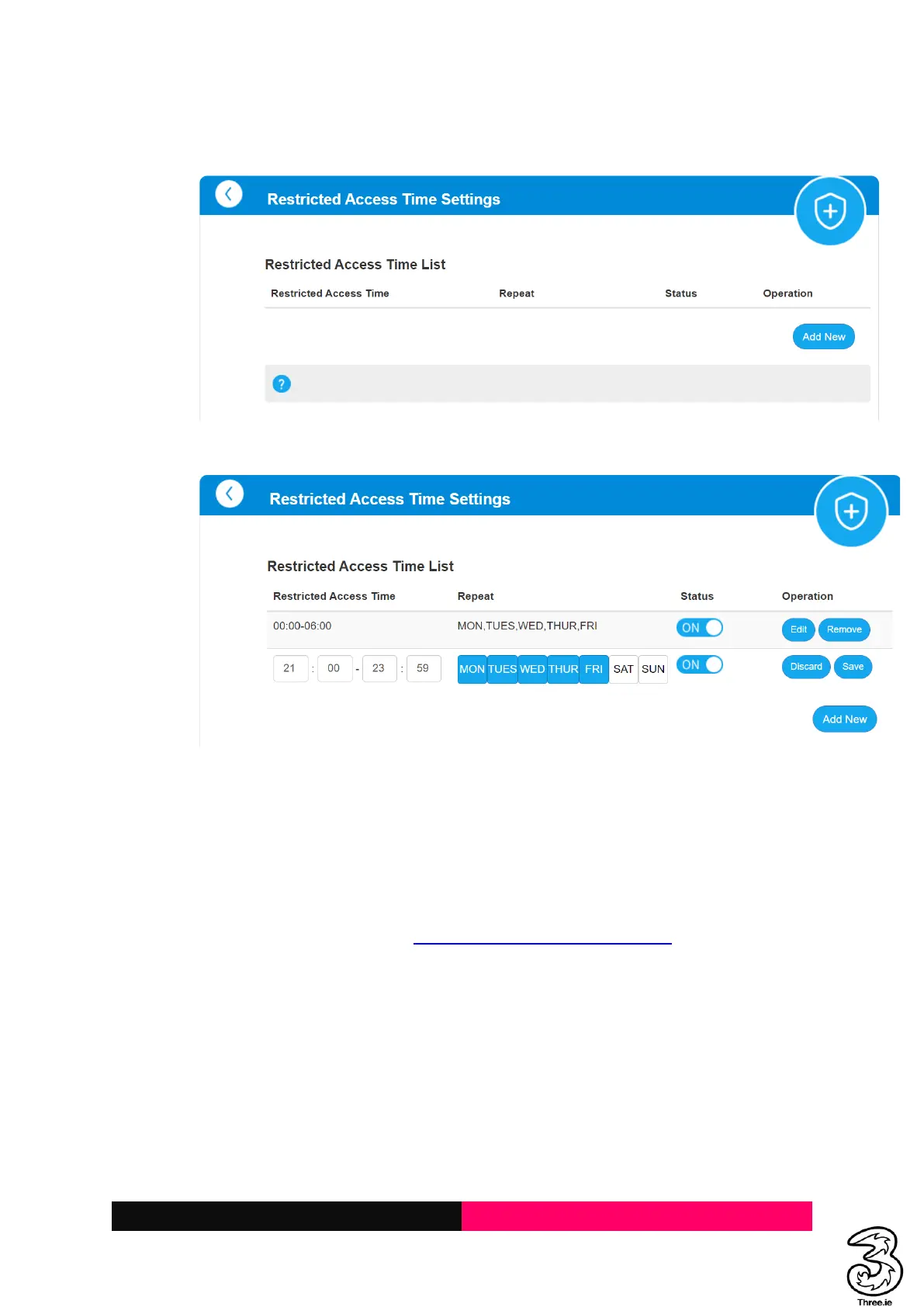
f. Click on Manage, and Add New button on the Restricted Access Time Settings page
g. Select the Days of the week and enter the restricted access time details and save
h. Add as many new time details to a single device
i. Click on Remove to remove the specific time window on the Restricted Access Time Page
j. Click on Remove to remove the device on the Parental Control Page
5. Provisioning or Setting up a Static IP
Resolution:
a. Log in to the Admin Web Page http://192.168.0.1/index.html#home
b. Locate the 5G Toggle button under My router



 To Next Page