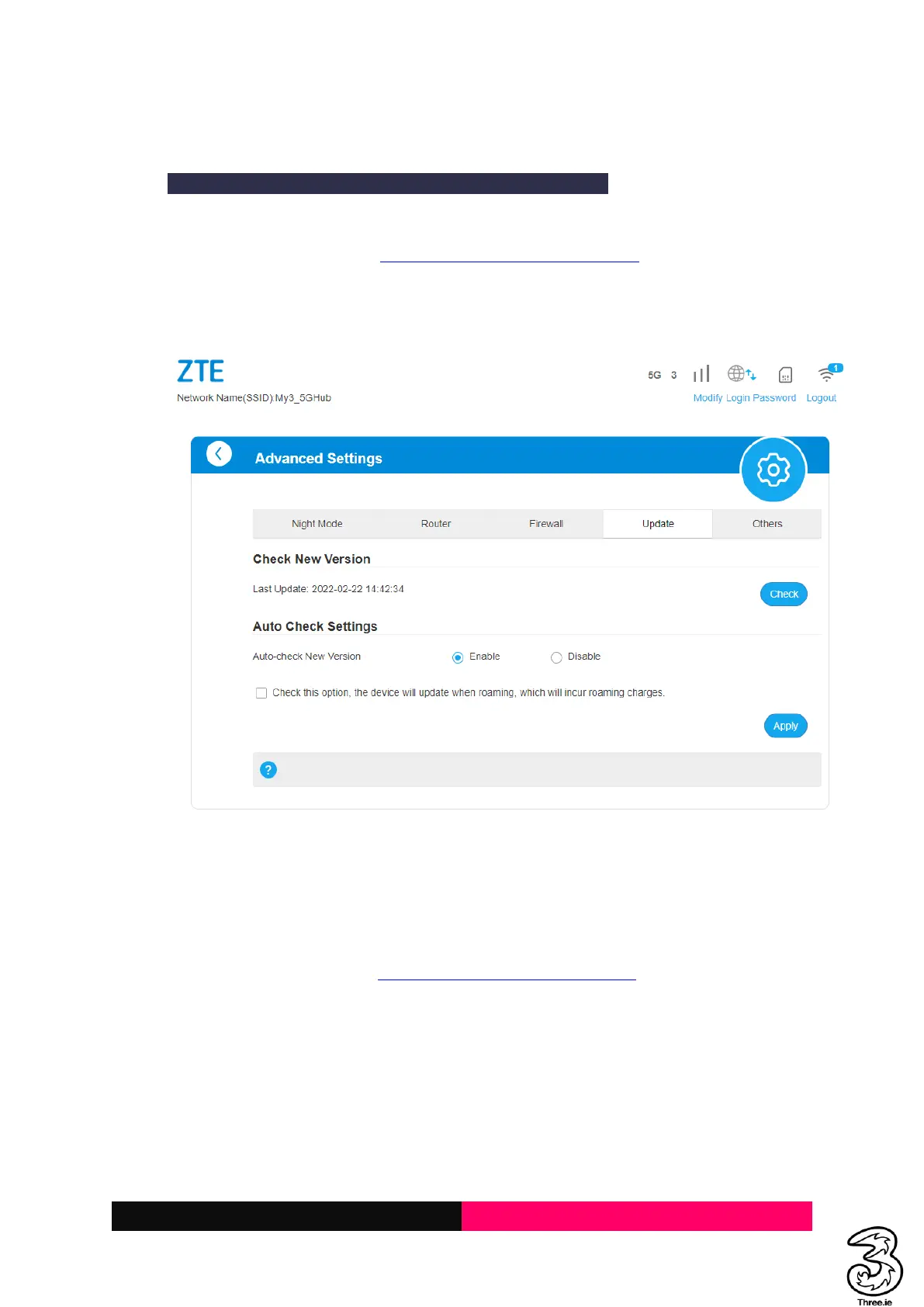
6. Update Firmware
Updating the firmware will not change any customized settings.
Steps:
a. Log in to the Admin Web Page http://192.168.0.1/index.html#home
b. Locate the Advanced Settings → Update → Check
c. If the device prompts New Firmware available, please select apply
d. The device will download, install the latest firmware, and restarts the device
7. Diagnosis (Check if the device is working as expected)
Steps:
a. Log in to the Admin Webpage http://192.168.0.1/index.html#home
b. Locate the Advanced Settings → Others → Diagnosis



 To Next Page