• Insert your nano-SIM card.
• Press and hold the reset hole for about 3 seconds to
restore your device to the factory settings.
* External antenna is not included.
Inserting the SIM
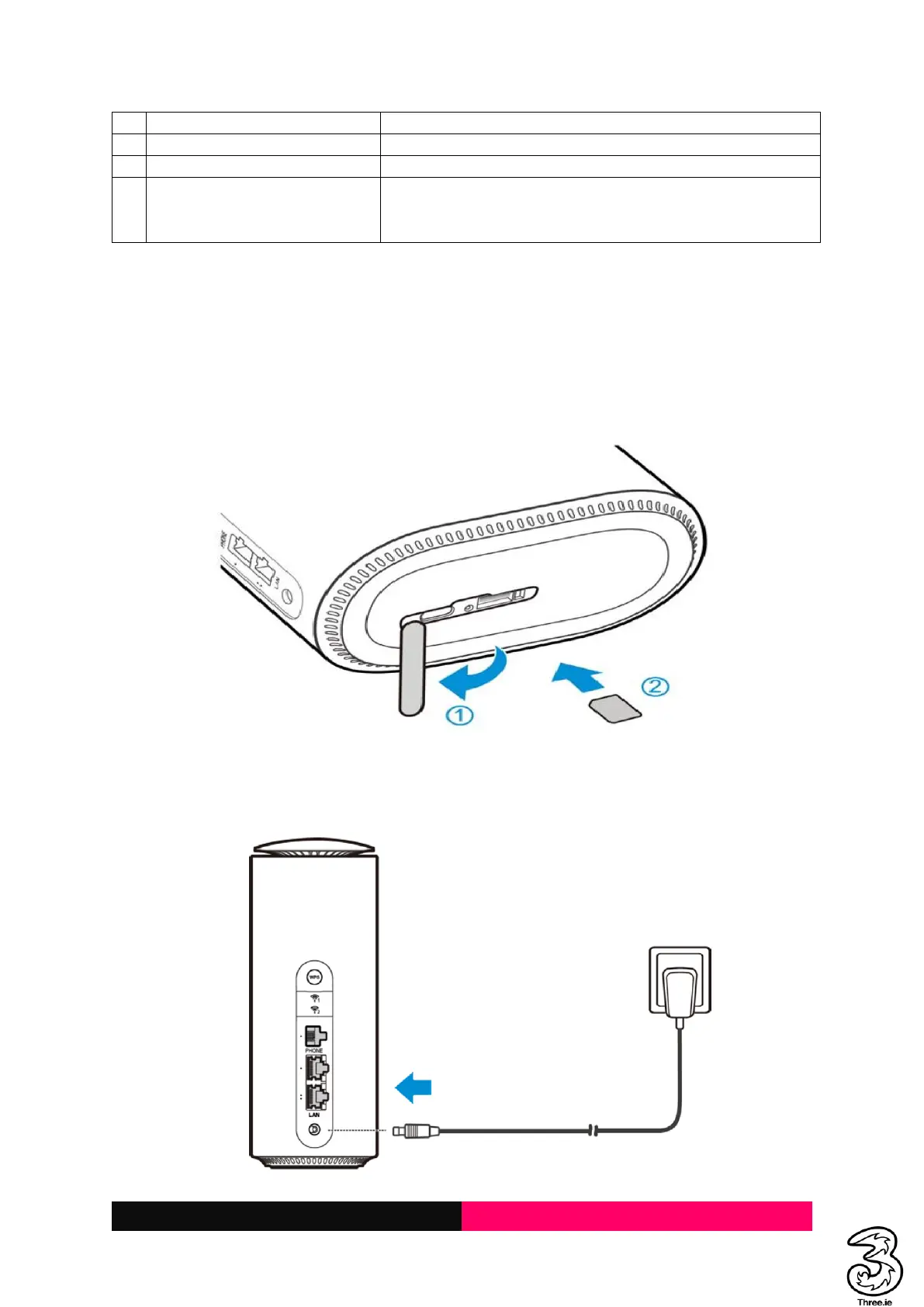
To access the Internet through the cellular network from the Smart Hub, you need to install a valid
nano-SIM card first.
1. Turn the Smart Hub to get access to the base. Open the slot cover.
2. Insert the nano-SIM card as shown.
Powering On/Off Your Device
Connect the AC adapter/power cable from the Smart Hub to a wall power outlet. The device will turn
on automatically.



 To Next Page