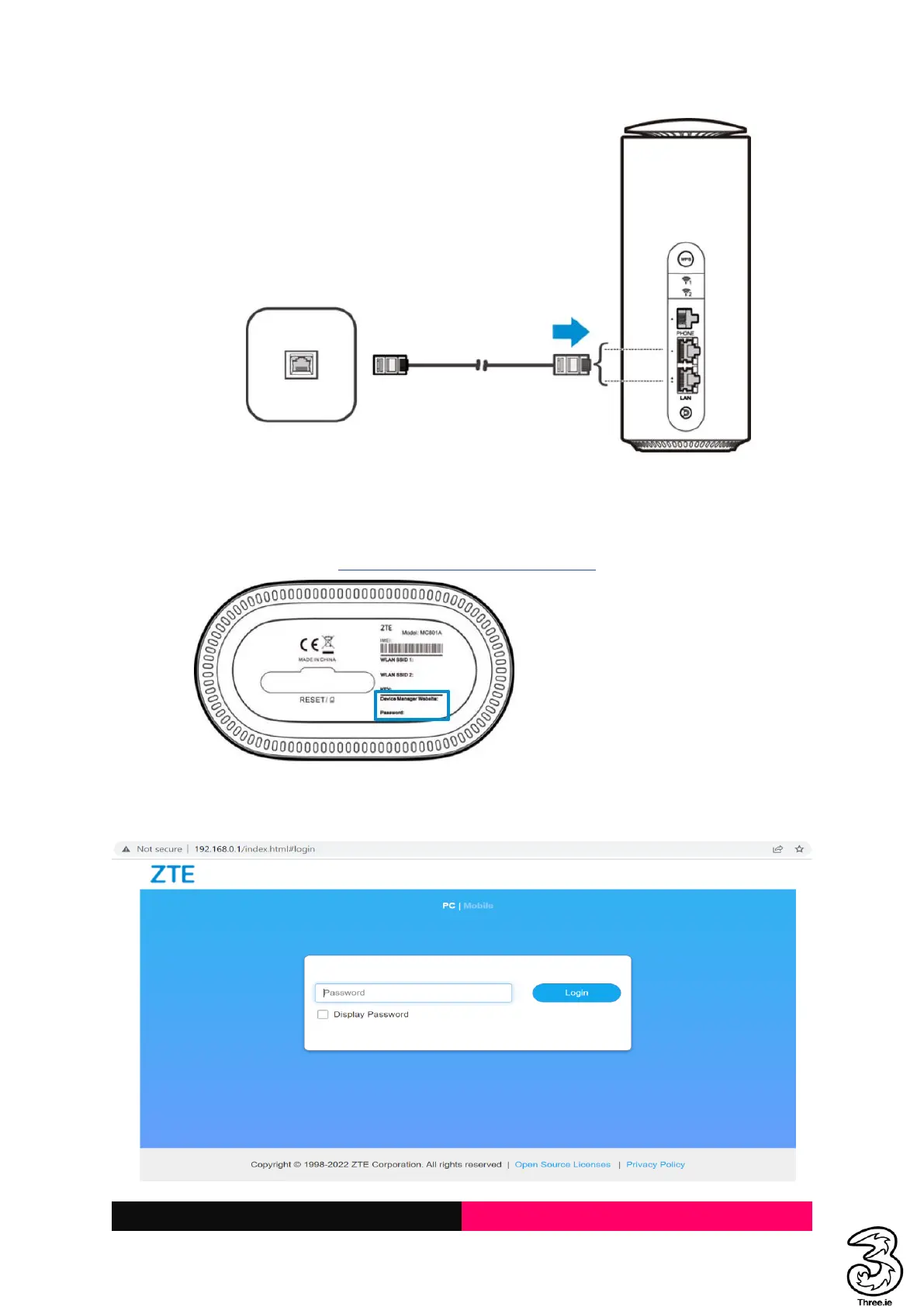
Accessing the 5G CPE Web Page
Visit the 5G CPE web page to configure the Smart Hub settings, such as passwords, Wi-Fi SSID/Name.
1. View the sticker at the base of the Smart Hub to get the default URL to the web page and
password. (Default URL: http://192.168.0.1/index.html#login)
2. Launch the Internet browser from a device connected to the Smart Hub and enter the URL in
the address bar to load the login page as below, Enter the password and select Login.



 To Next Page