Page 13
Maintenance Mode allows access to service and diagnostic
information, as well as provides the ability to adjust certain
program default parameters. While in Maintenance Mode the
console will return to ACTIVE mode after 15 seconds of inactivity
on any screen.
To enter Maintenance Mode:
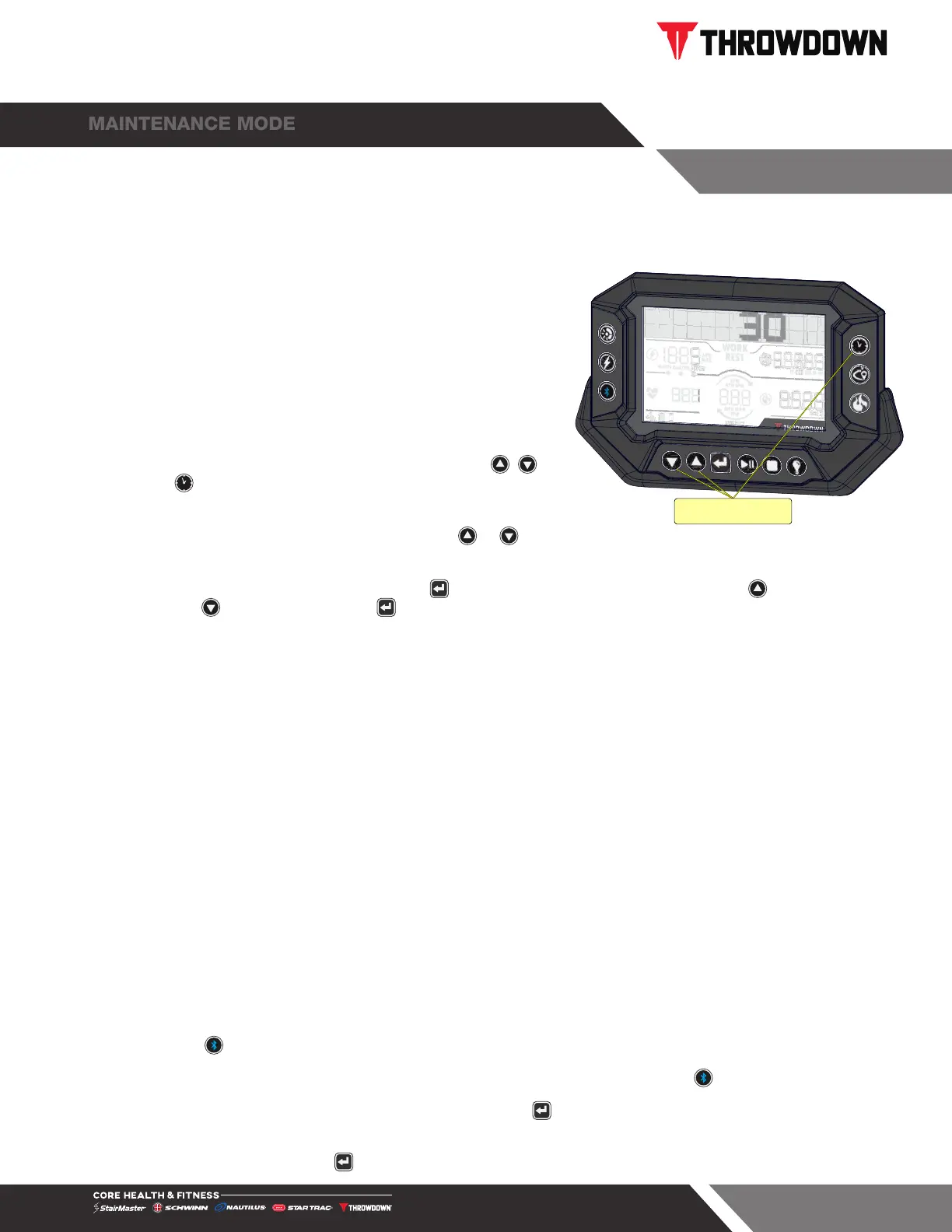
1. Within 15 seconds of waking the console, tap the ,
and buttons to enter Maintenance Mode. Console will
display 1 in the HR to indicate the screen.
2. While in MAINTENANCE MODE pressing the or
button navigates between screens:
Push Together
Fig. 15
Maintenance Mode
3. To change the values in a screen tap the button, screen numbers will flash. Tap the to increase
and tap to decrease, then tap to set the selection. Default values shown below bolded.
• Screen 1: Displays cumulative hours and distance, Software version
• Screen 2: SUMMARY MODE, default 15 seconds, max 60 seconds.
• Screen 3: PAUSE TIME, default 30 seconds, max 180 seconds.
• Screen 4: MACHINE TYPE.
P1 ROWER P2 BIKE (HIITBike & Airfit) P3 SKIER
P4 UBE P5 SLEDS P6 ROPE
P7-9 NONE
• Screen 5: UNITS, Imperial/Metric, Distance will show as MI or KM, Speed will show as MPH or
KPH
• Screen 6: BACKLIGHT TIMEOUT, default 15 seconds, minimum 5 seconds, max 60 seconds or
continuous.
• Screen 7: BACKLIGHT BRIGHTNESS, 1-10, default 5
• Screen 8: ANT+, On/Off
• Screen 9: BLUETOOTH ADDRESS, Dynamic/Fixed. When Dynamic, broadcast BLE ID is random
when pressed.
• Screen 10: BLUETOOTH ADVERTISING, Always Active/Active only when pressed.
• Screen 11: POWER SENSOR CALIBRATION, press to set when display shows “Set Zero Point
Angle Y/N”
• Screen 12: EXIT, press to exit MAINTENANCE MODE


 To Next Page