Page 9
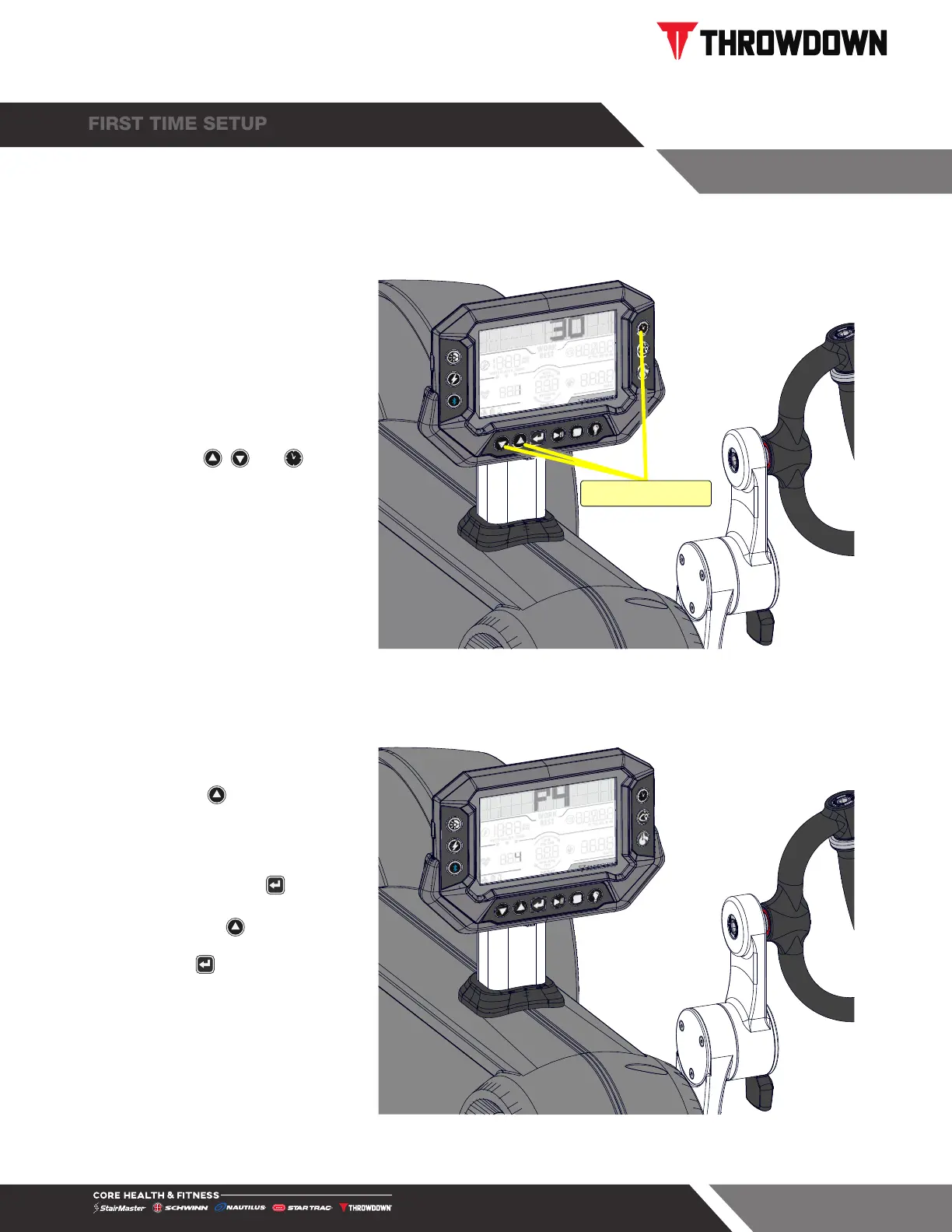
1. Turn the handle or press a
button on the console to
wake it. Within 15 seconds of
waking the console,
tap the , and buttons
together to enter Maintenance
Mode. Console will display
1 in the HR to indicate the
screen.
TAP TOGETHER
Fig. 11
2. Tap the button until the
screen shows 4 in the HR.
P4 should display in the time
window.
a. If not, tap the button,
screen numbers will flash.
b. Tap the until P4 shows
in the time window, then
tap to save.
3. Once P4 shows as in Fig. 18,
First Time Setup is complete.
Console will turn off after 15
seconds of inactivity.
Fig. 12



 To Next Page