Thrustmapper user manual — 11/19
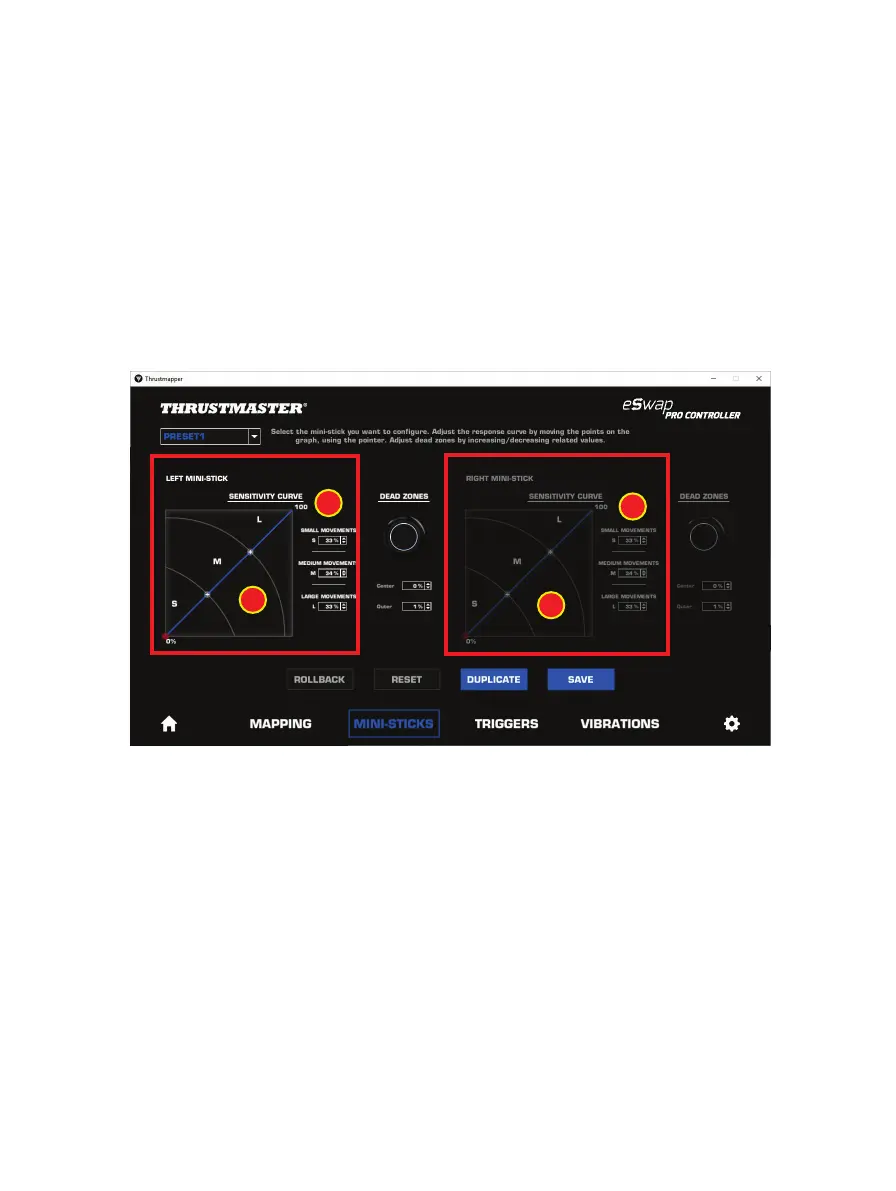
The sensitivity curve is divided into 3 different zones: small, medium and large movements (S, M, L).
Increasing the size of one (or more) of the zones (S, M, L) will provide more sensitivity — and
therefore more precision — for the zone(s) in question.
For example, if you increase the S zone, your movements near the center of the mini-stick will be
more precise.
To modify the sensitivity curve for the mini-sticks, you can:
- Move the points directly on the graph (1).
- Modify the values in the 3 different zones (small, medium and large movements) (2).







 To Next Page