Thrustmapper user manual — 17/19
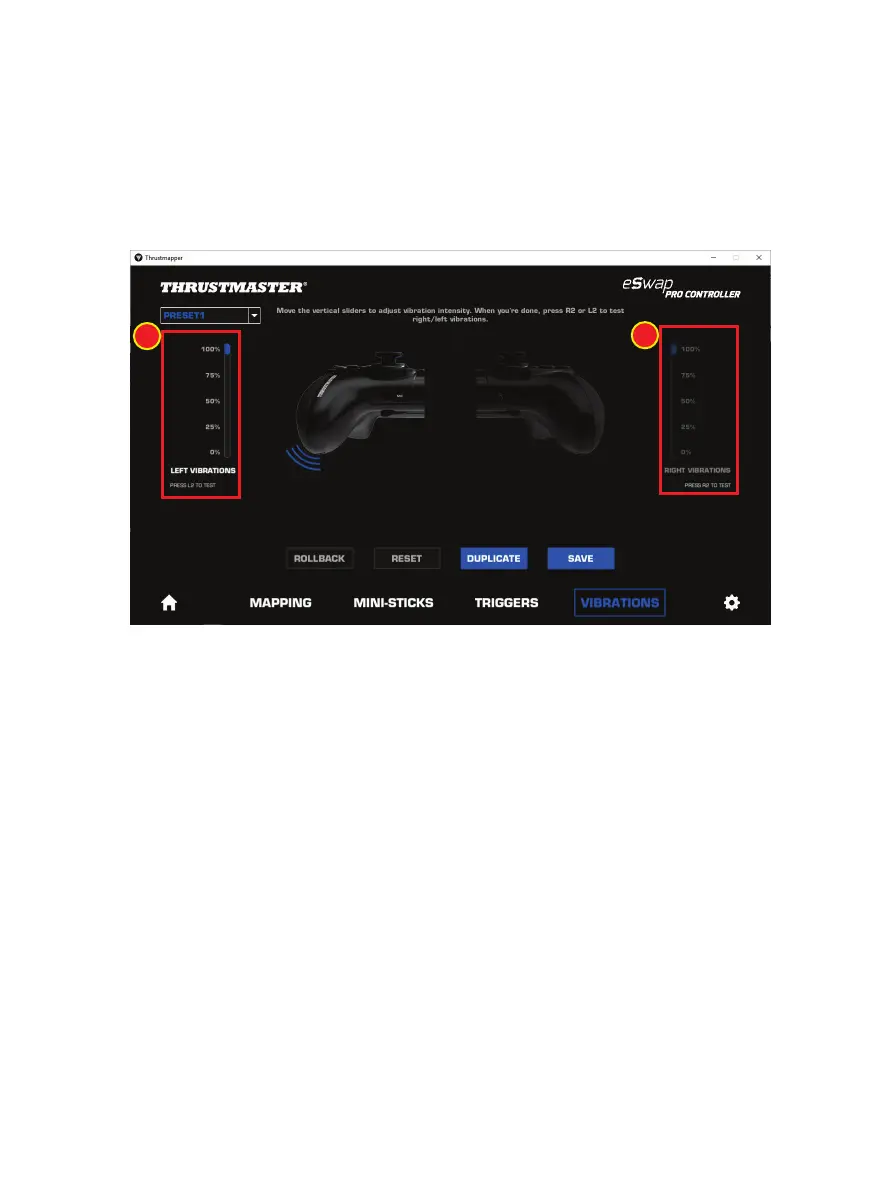
To set the maximum intensity of the vibrations:
- Move the sliders to set the maximum intensity of both the left and right vibrations (1).
- Press the left or right trigger to feel the selected vibration intensity on the left or right-hand
side of your gamepad, respectively.








 To Next Page