ThrustmapperX user manual – 9/18
5. Configuring the mini-sticks
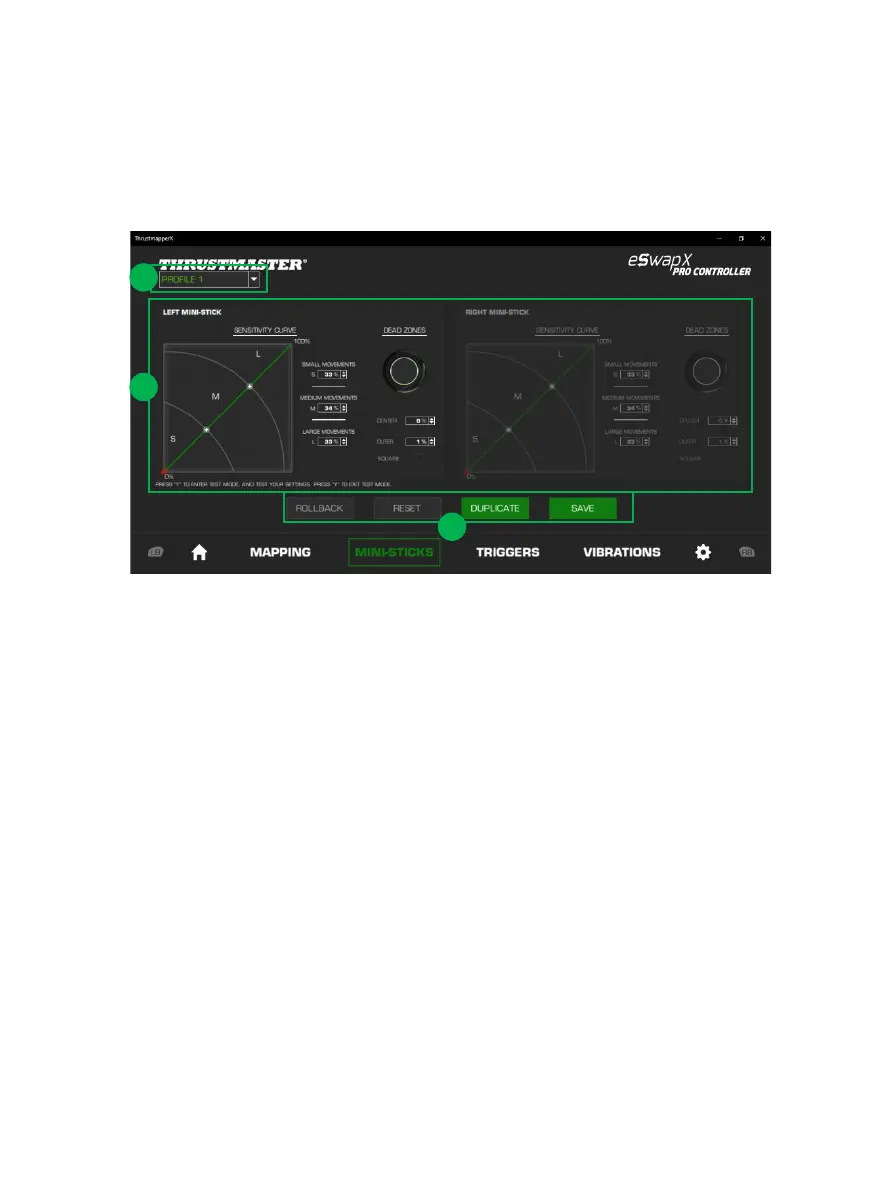
Adjust the sensitivity curve and the dead zones for the left and right mini-sticks, for optimal control
of your movements.
- The drop-down menu in the upper left-hand corner (1) lets you switch between profiles and
presets in the MINI-STICKS page.
- Adjust the sensitivity curve and the dead zones for the left and right mini-sticks independently
of one another (2).
- ROLLBACK, RESET, DUPLICATE and SAVE buttons (3):
ROLLBACK: return to the previous settings, since the last save.
RESET: reset all of the settings and content to their default values.
DUPLICATE: duplicate the settings for the selected mini-stick on the second mini-stick.
SAVE: save the current settings in the selected profile or preset.










 To Next Page