ThrustmapperX user manual – 3/18
3. Home page
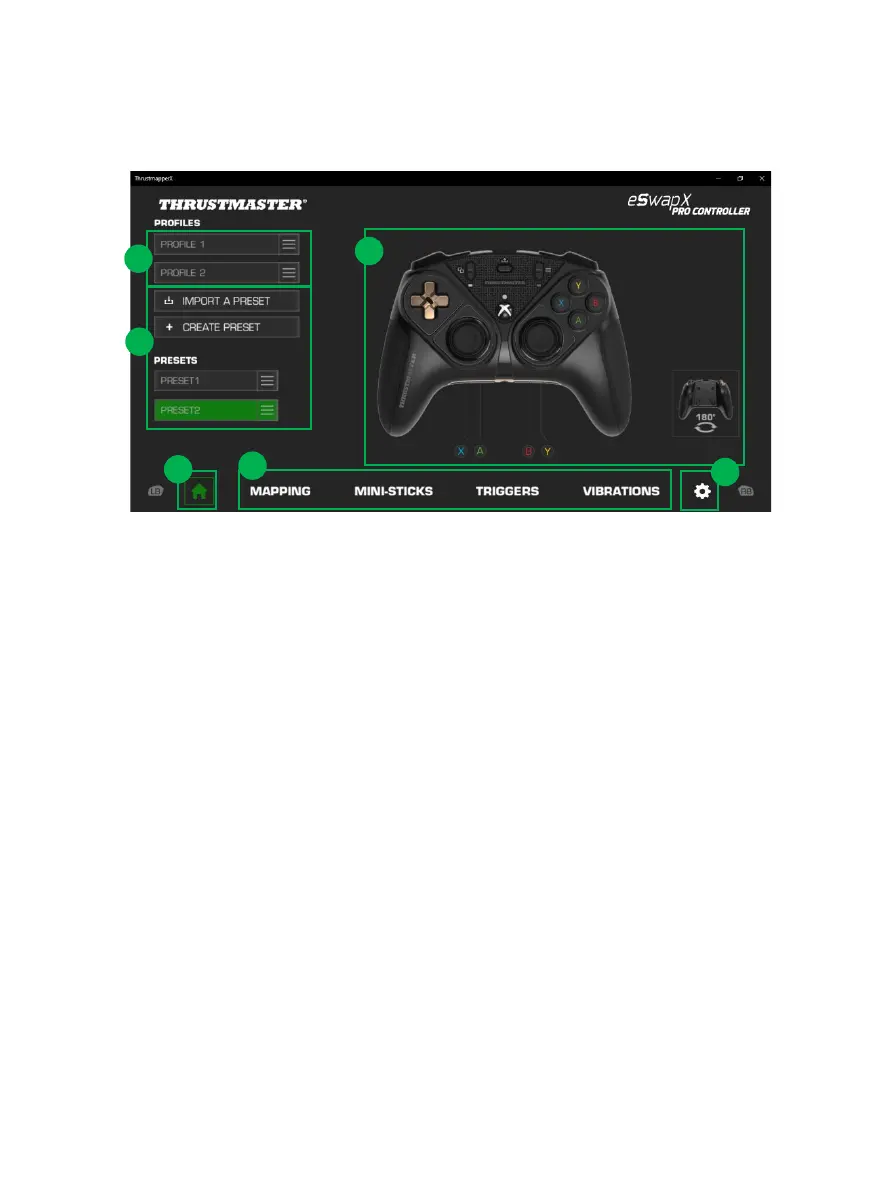
- Select one of the gamepad’s two profiles in order to modify it (1).
- Create or import presets grouping together all of your customized settings. These presets can
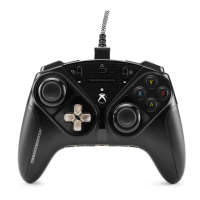
then be saved in one of the two profiles for your ESWAP X PRO CONTROLLER (2)
- Quickly view the mapping of buttons for the selected profile or preset (3).
- Access advanced settings for the selected profile or preset (4):
MAPPING: remap buttons according to your gaming style.
MINI-STICKS: adjust the response curve and the dead zones for the left and right mini-
sticks.
TRIGGERS: precisely adjust the dead zones for the left and right triggers.
VIBRATIONS: set the maximum intensity of the vibrations for the handles and triggers on
your ESWAP X PRO CONTROLLER.
- Verify the current firmware version for your gamepad, the current driver version for your
gamepad, and the current version of the ThrustmapperX software, and update these elements if
necessary (5).
- Return to the home page from other menus (6).









 To Next Page