ThrustmapperX user manual – 11/18
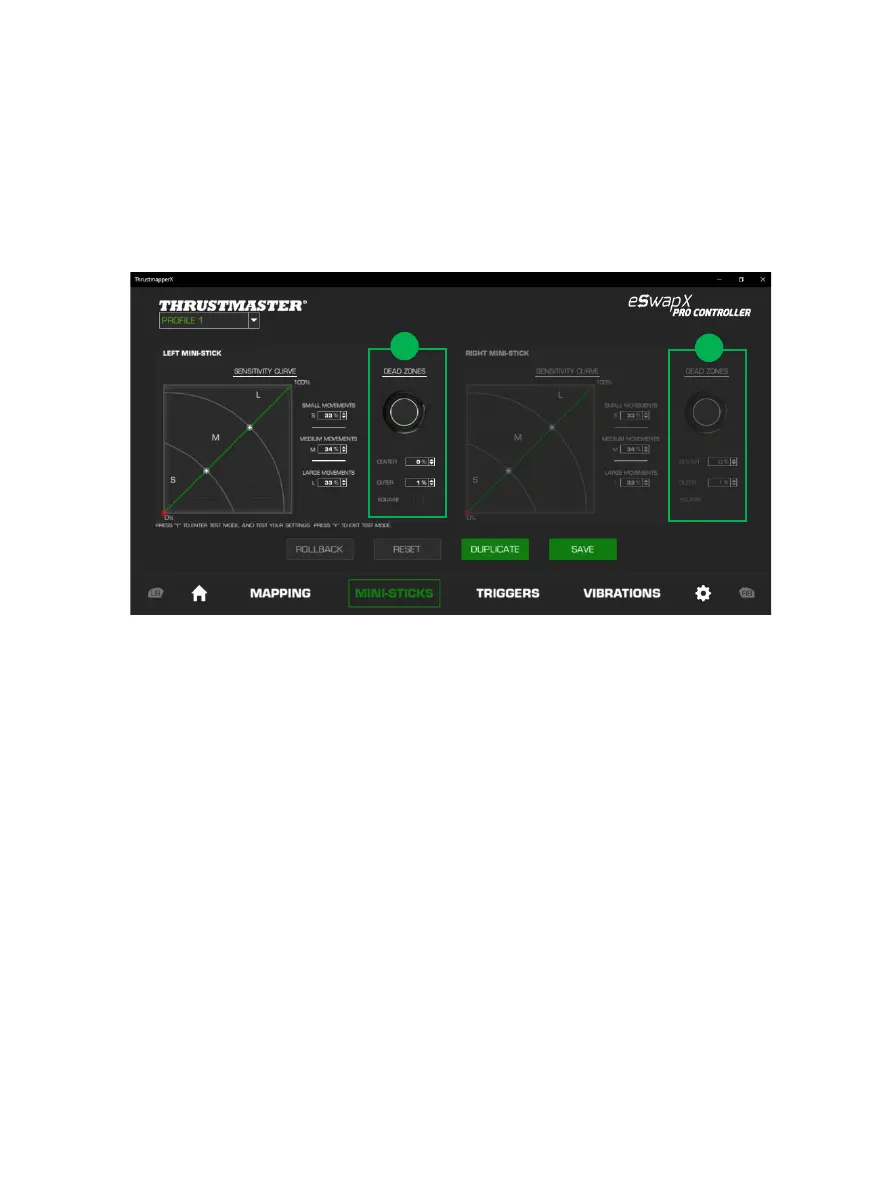
You can also customize the center and outer dead zones for the mini-sticks (1).
A dead zone corresponds to the zones defined for the mini-stick which do not respond to
movements, at the beginning (center) or at the end (outer) of its travel.
You can also define an end (outer) dead zone in the shape of a square by selecting the
“SQUARE” option.








 To Next Page