Need help?
Do you have a question about the Thundercomm TurboX C6490P and is the answer not in the manual?
Connect the power adapter to the DC in jack and the board to a monitor via HDMI OUT.
Connect the board assembly to a computer via USB 3.1 Type-C or Micro USB for debugging.
Set the DIP switches SW1301 to all OFF and SW1300 as specified for boot configuration.
Press the Power on button (connector 18) to initiate the device boot-up process.
Provides email address, physical address, and website for support and software downloads.
Details legal notices, patent information, warranty disclaimers, and trademark ownership.
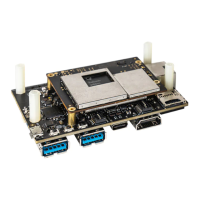
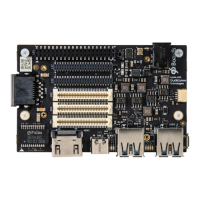
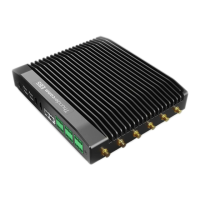
The Thundercomm TurboX C6490P Development Kit (DK) is a comprehensive platform designed for AIoT (Artificial Intelligence of Things) applications, enabling developers to build and test solutions based on the C6490P processor. This Quick Start Guide provides essential information for setting up and utilizing the development kit.
The TurboX C6490P DK serves as a robust development platform for various AIoT applications. It integrates a powerful C6490P processor, offering a wide array of interfaces and connectivity options to support diverse use cases. The kit is designed to facilitate rapid prototyping and development of intelligent devices, leveraging AI capabilities at the edge. Its modular design allows for the integration of various peripherals, making it suitable for applications ranging from smart cameras and robotics to industrial automation and advanced driver-assistance systems (ADAS). The inclusion of multiple camera module connectors, high-speed signal connectors, and various communication interfaces underscores its versatility for complex AI-driven projects.
The kit supports a comprehensive development environment, likely based on Linux or Android, given the mention of adb and UART debug. Developers can leverage the various interfaces to integrate sensors, actuators, displays, and communication modules to create custom AIoT solutions. The multiple camera inputs and GMSL connectors are particularly useful for vision-based AI applications, such as object detection, facial recognition, and autonomous navigation.
The diverse range of connectivity options, including Wi-Fi, Bluetooth, 5G (via M.2), Ethernet, RS232/RS485, and CAN, allows the TurboX C6490P DK to be deployed in a wide array of environments and communicate with various devices and networks. This makes it suitable for applications requiring both local and cloud-based AI processing.
Thundercomm provides software and documentation downloads via their website (www.thundercomm.com). Regular updates ensure access to the latest features, bug fixes, and security patches. Users are encouraged to verify applicable data for their specific environment, as performance data can vary.
The dedicated Micro USB connector for UART debug (connector 35) and the USB 3.1 Type-C connector for adb provide robust debugging capabilities. These tools are essential for troubleshooting software issues, monitoring system performance, and developing applications efficiently.
The presence of a fan connector (connector 24) suggests that the C6490P processor may generate significant heat under load, and active cooling might be necessary for sustained operation, especially in demanding AI applications. The modular design, with accessible connectors, simplifies the process of replacing or upgrading components like camera modules, M.2 modules, and antennas.
Thundercomm offers technical support via email (service@thundercomm.com) and provides comprehensive documentation. Users are advised to consult the product packing list and related contracts for specific product configurations. The company also emphasizes that the information in the document is subject to change and that users should verify data for their specific environment.
The document explicitly states that the products are not intended for use in life support applications where malfunction could result in injury or death. It also clarifies that the information provided does not grant any license to Thundercomm's patents or intellectual property rights. Users are responsible for verifying the applicability of the data for their specific environment.
In summary, the Thundercomm TurboX C6490P DK is a powerful and versatile development platform designed to accelerate the creation of advanced AIoT solutions. Its rich set of interfaces, robust processing capabilities, and comprehensive support infrastructure make it an ideal choice for developers working on cutting-edge AI applications across various industries.
 General
| Brand | Thundercomm |
|---|---|
| Model | TurboX C6490P |
| Category | Microcontrollers |
| Language | English |


 To Next Page