5
Wireless Data Interface to Windows PC
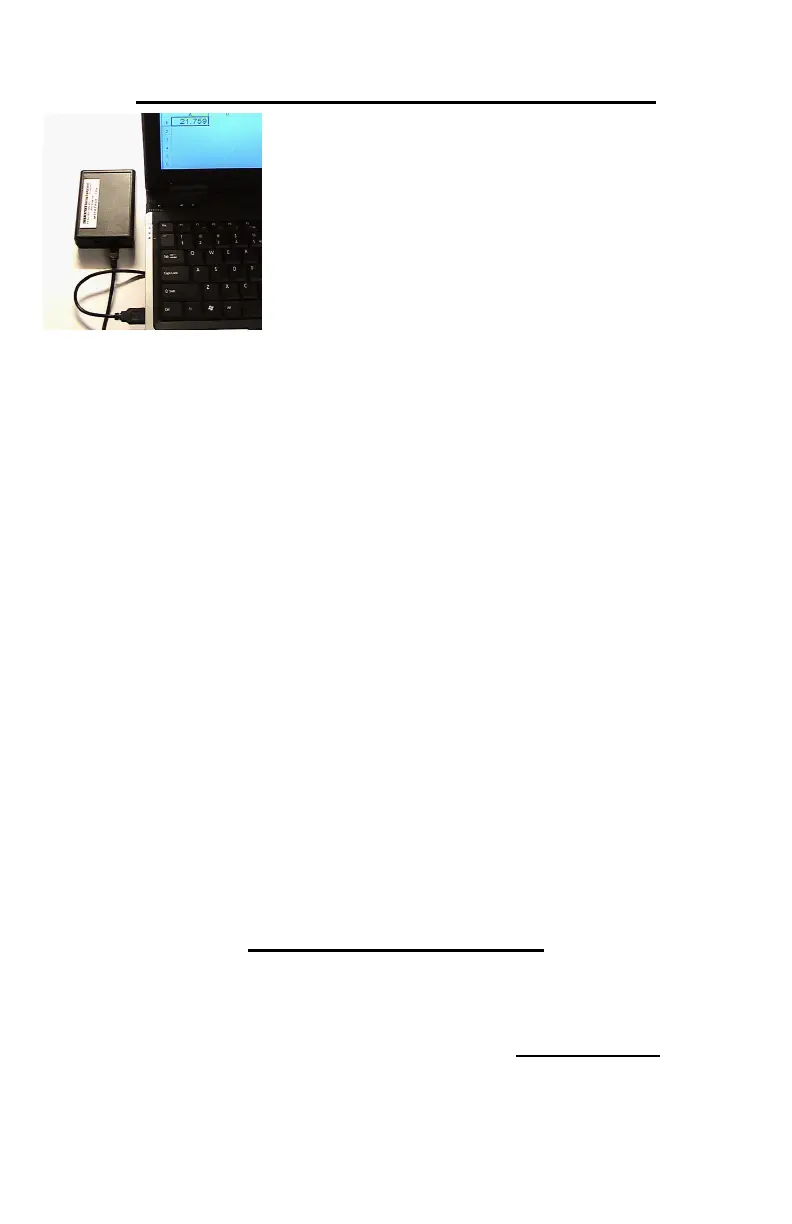
• Times are sent wirelessly from
Sport Timer
• Connects to USB Port on PC
• Powered by the USB port
• Includes software to “type”
times at the PC cursor
• Full-screen mode supports
large monitors, Jumbotrons, etc.
• Compatible with many other available timing and
event management software packages
The Wireless Data Interface is powered by the Windows
PC, through the USB cable, no batteries or other
external power sources are required.
Installation and use depends on the software package
that you choose.
The PC Interface comes with a copy of Pawsoft
software. See Appendix 2 for complete Installation and
operating Instructions.
Other software packages will require their own individual
installation and use instructions – consult the software
provider for complete details.
To connect the PC Interface to your Windows PC, plug
the USB cable into the PC Interface Unit and the other
end into an unused USB Port on your PC.
Low Battery Warnings
SPORT TIMER 3000 – TIME flashes on display
BEAM TRANSMITTER - One LED blinks RED
BEAM RECEIVER – RED LED blinks very rapidly
BIG DISPLAY – “lo Batt” scrolls across screen


 To Next Page