Page 12 I User Guide I English
Software upgrades
A software upgrade is only required if Thuraya releases a newer
software version. Before performing an upgrade please check
your current software version under Security > S/W version to
see if an upgrade is required.
1 Download and install the latest Thuraya XT-PRO upgrader le
from www.thuraya.com.
2 Download the latest Thuraya XT-PRO software from
www.thuraya.com.
3 Power on your Thuraya XT-PRO with a fully charged battery.
4 Connect the PC and the Thuraya XT-PRO using the USB cable.
5 Double click the Thuraya XT-PRO upgrader icon on the
desktop and the program will guide you through the
upgrade process.
Using your Thuraya XT-PRO
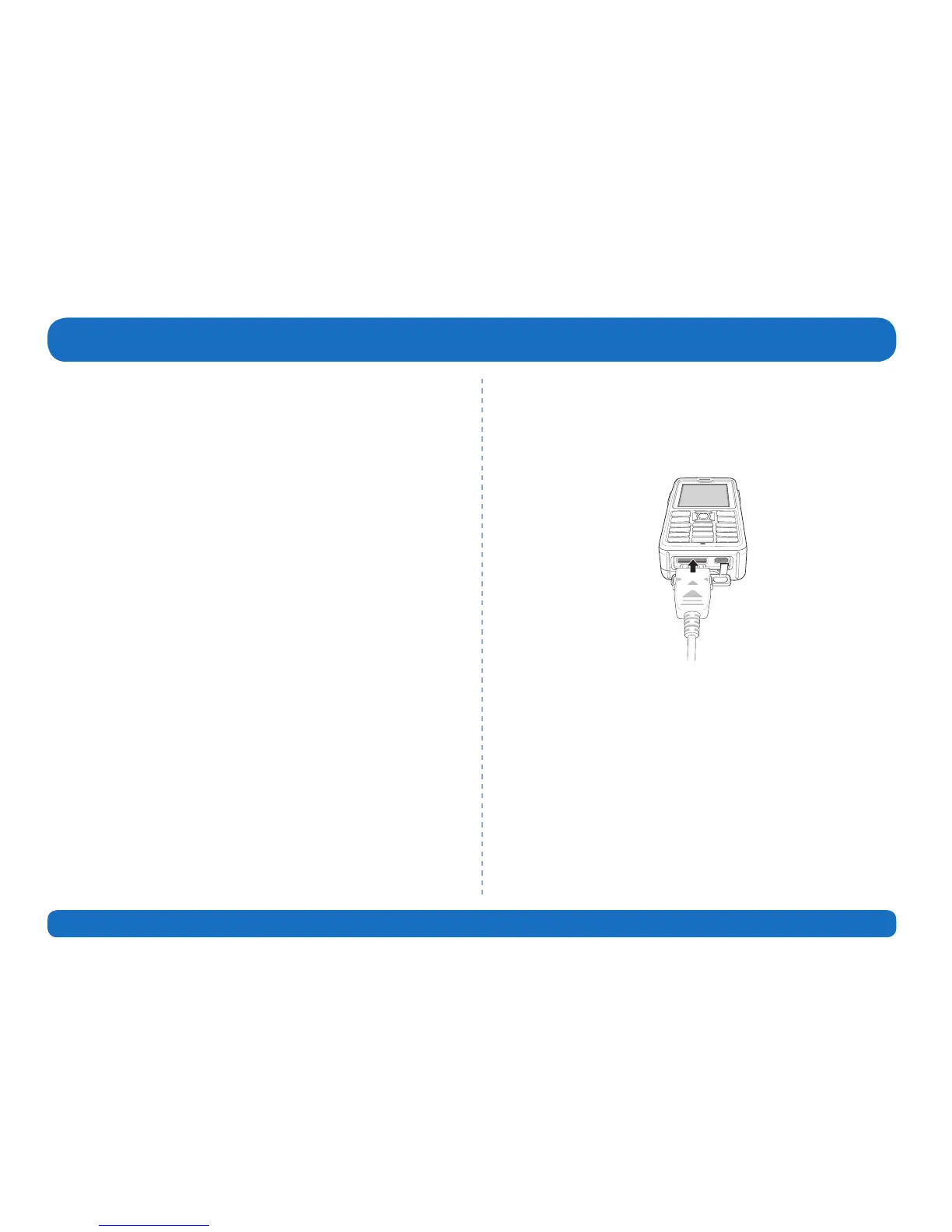
How to plug the data cable in case of software
upgrade:
Open the cover at the bottom of the phone and rmly connect
the USB cable to the UDC jack.
Afterwards attach the other side of the data cable to your PC.



 To Next Page