31
5 Configuration
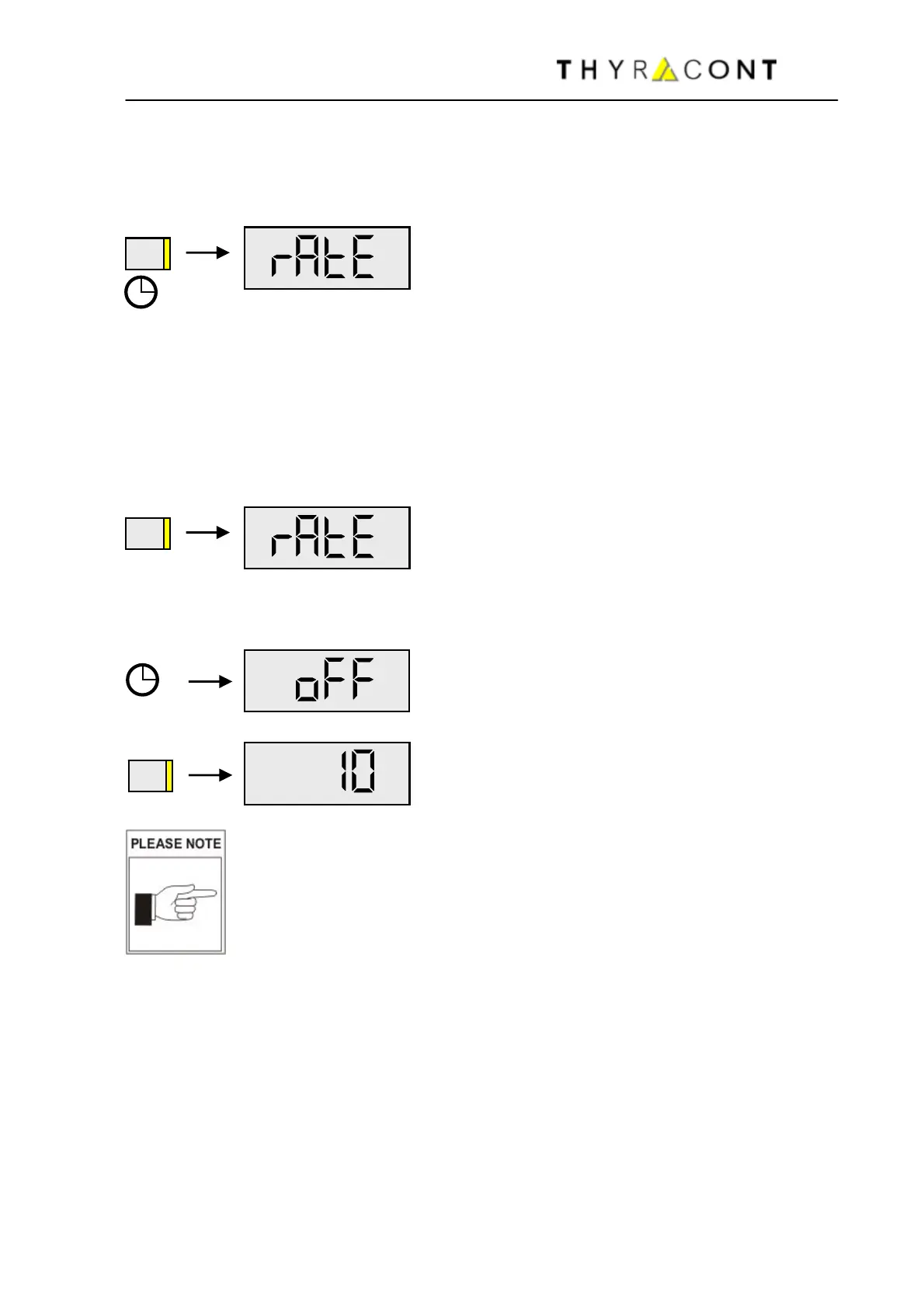
To switch the VD81 into Configuration-Mode:
with the instrument switched-off hold the
Mode-Key pressed for approx. 5 seconds,
until the display shows ‘’rAtE’’.
5.1 Logging Rate
To set the logging rate of your VD81MCIR, switch the unit into Configuration-
Mode. For this the instrument must be switched-off. Hold the Mode-Key pressed
then, until the display shows ‘’rAtE’’:
After additional 5s the current rate setting for internal storing of measurements is
displayed (Datalogging):
"off" means that datalogging is disabled.
Now the logging rate can be set using the
Mode-Key: 0,1s / 1,0s / 10s / 1min / 10min
and off.
Attention: a change of the logging rate setting inevitably results
in deletion of the data memory. Stored data, which have not
been read-out yet, are lost.
When 0,1s is selected as logging rate, no simultaneous online-
transmission of data is possible during datalogging.
Without further keystroke, the unit switches to Auto-Off-Mode after approx. 5
seconds. The last settings are saved.
5.2 Read Out Data-Memory
To read-out measurement data stored in the internal memory of the VD81MCIR,
switch the unit into Configuration-Mode. For this the instrument must be
switched-off. Hold the Mode-Key pressed then, until the display shows "rAtE".
MODE
MODE
s
MODE



 To Next Page