32
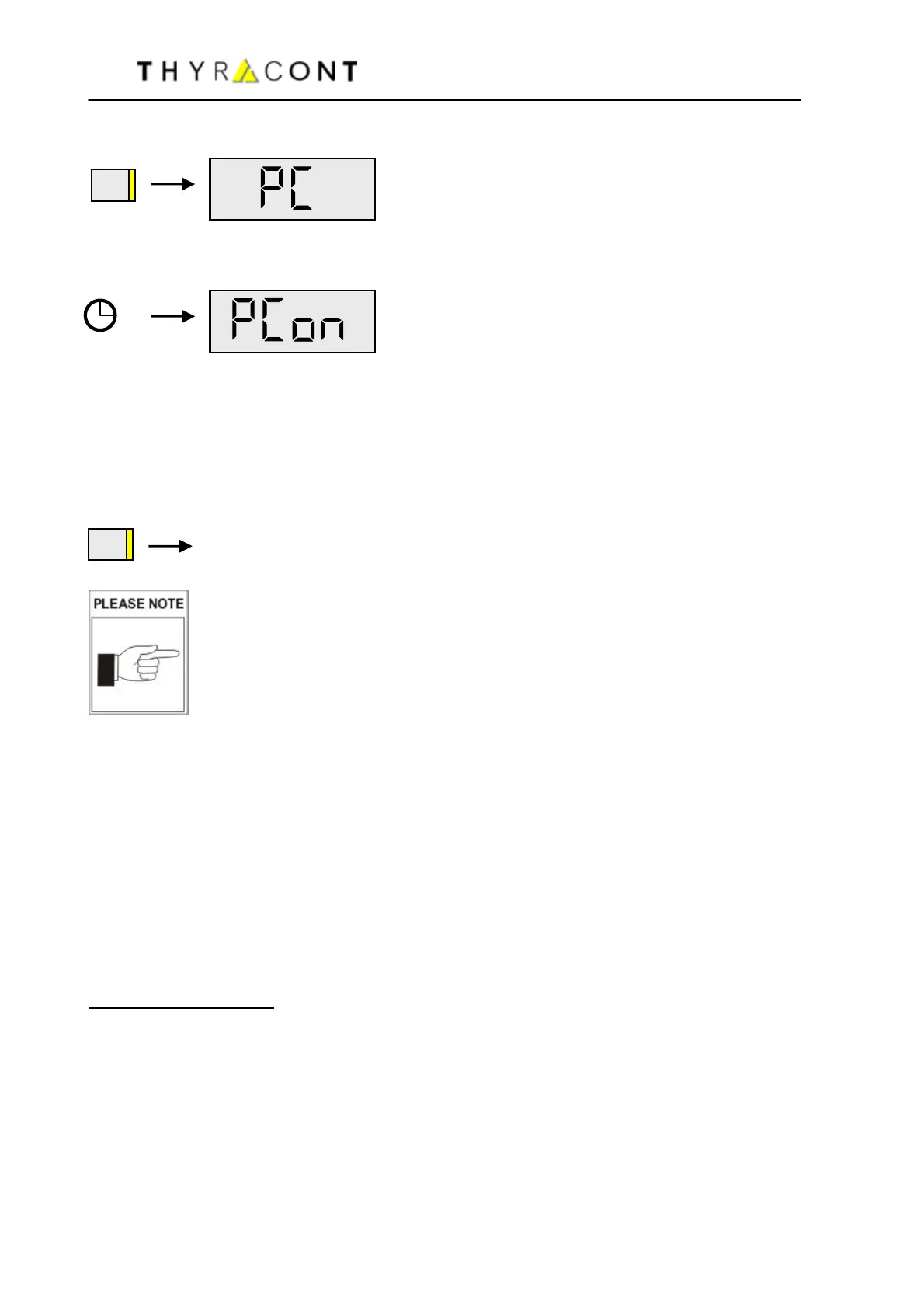
Then press Mode-Key several times, until the display shows "PC":
After 5 more seconds the display shows
The infrared interface now works in bidirectional transmission mode, i.e. when
the unit is connected to a serial PC port you can now read-out stored data with a
suitable PC software.
For this purpose our accessories like the IR-PC-adapter AVD8IRA and our
VacuGraph-Software AVGR are available.
By pressing the Mode-Key the transmission mode is canceled.
The unit switches into Auto-Off-Mode.
Operation with active IR-interface requires additional power
and thus shortens battery lifetime. Therefore please switch off
the transmission-mode when it is no longer needed!
5.3 Infrared Interface
The infrared-interface of your VD81MCIR can be activated for continuous data
transmission to a PC (online-transmission).
For this purpose accessories like our IR-PC-adapter AVD8IRA for connection to
a serial PC-Port and our VacuGraph-Software AVGR for saving and plotting
measurements are available.
Communication via IR-interface is performed according to Thyracont-interface-
protocoll (see separate description).
Interface-Parameters
:
9600 Baud, 8 databits / 1 stopbit, no parity
ASCII-Code
Transmission rate: 1/s.
To activate the IR-interface of your VD81MCIR for continuous data transmission,
switch the unit into Configuration-Mode. For this the instrument must be
switched-off. Hold the Mode-Key pressed then, until the display shows "rAtE".
MODE
MODE



 To Next Page